

Description
Introduction
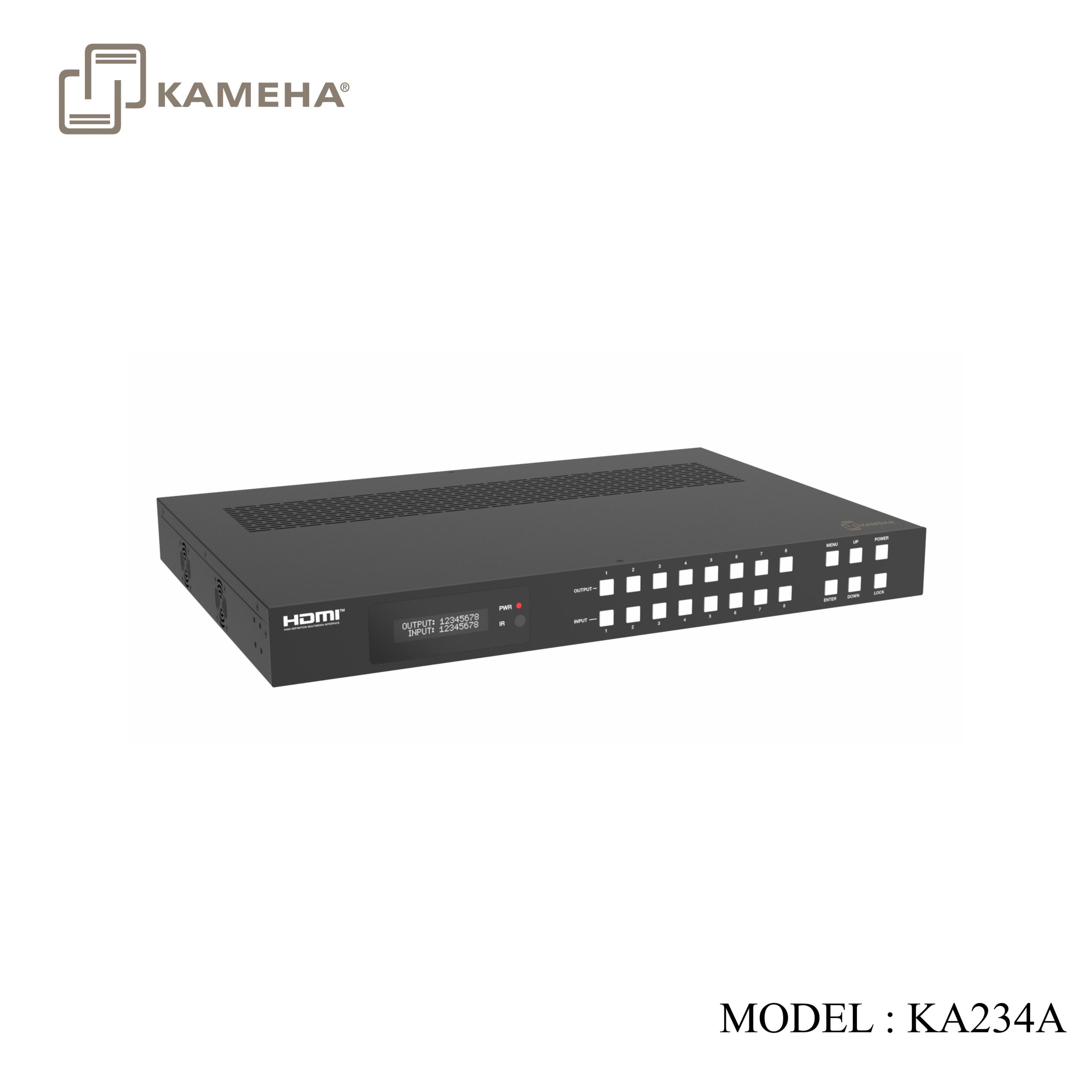
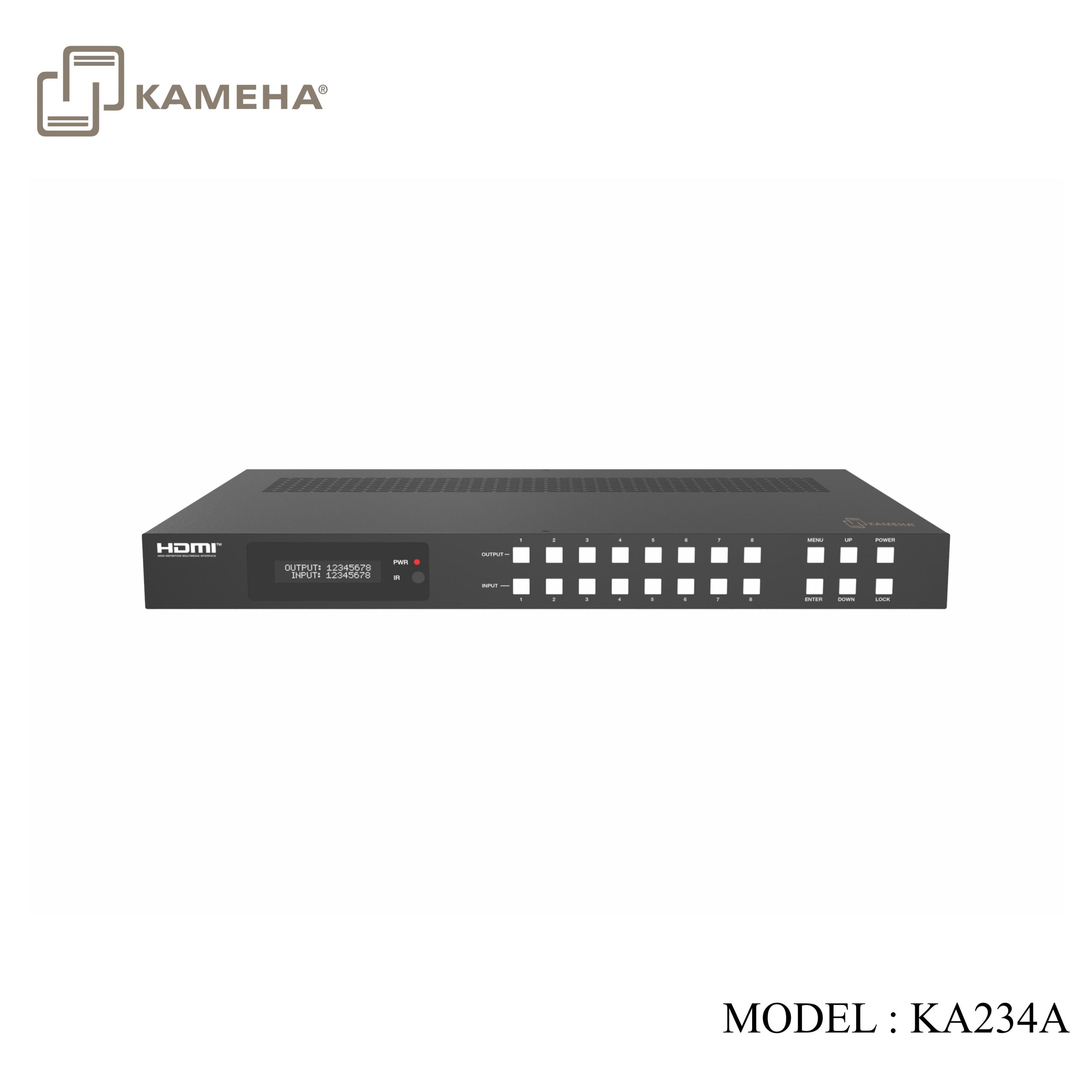
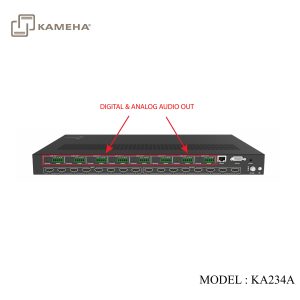
The 18Gbps 8×8 Seamless Matrix is a perfect solution for video transmission from 8 HDMI sources to 8 HDTV displays. Video resolution is up to 4K@60Hz 4:4:4. Each output supports resolution downscaling individually. It features video wall, multi-view function and built-in WEB server. It also has 8 routes L/R audio output channels to output balanced audio. And seamless switching ensures a smooth picture transition without frame loss. This matrix can be controlled via front panel buttons, IR remote, RS-232 and Web GUI.
Features
- HDCP 2.2 compliant
- Support video resolution up to 4K@60Hz 4:4:4 and 18Gbps video bandwidth, as specified in HDMI 2.0b
- Support seamless switching
- Support 12 display categories in multi-view mode
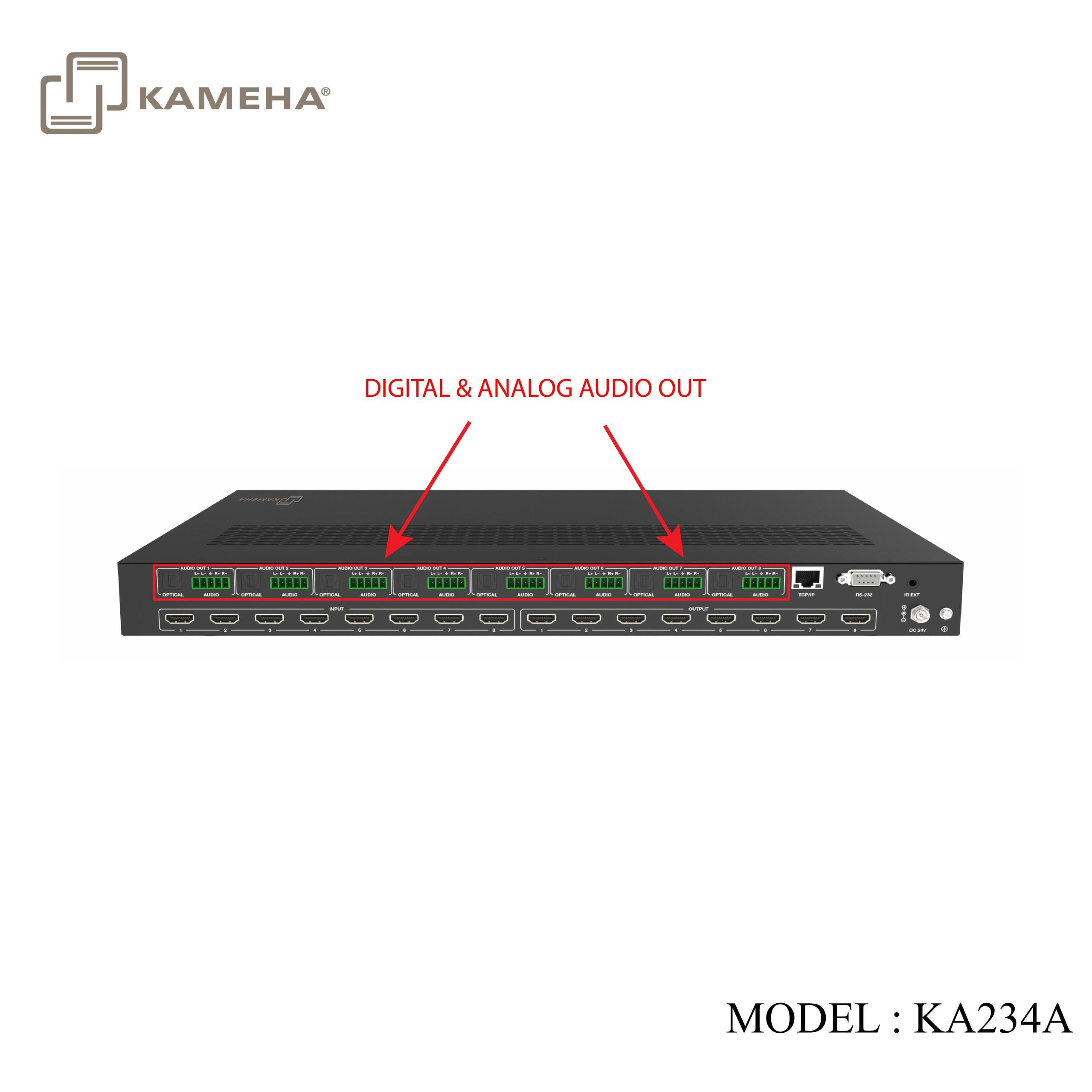
- Support 8 route L/R balanced audio output
- Each output supports horizontal mirror and vertical mirror
- Blank screen, blue screen and output off are optional when no signal outputs
- HDMI audio format: LPCM, Dolby Digital/Plus/EX, Dolby True HD, DTS, DTS-EX, DTS-96/24, DTS High Res, DTS-HD Master Audio
- Support CEC control, and multiple video resolution output
- Support power-off memory and advanced EDID management
- Control via front panel buttons, IR remote, RS-232, and Web GUI
- Compact design for easy and flexible installation, standard height of 1U
Specifications
| Technical | |||
| HDMI Compliance | HDMI 2.0b | ||
| HDCP Compliance | HDCP 2.2 | ||
| Video Bandwidth | 594MHz/18Gbps | ||
| Video Resolution | Up to 4K@60Hz 4:4:4 | ||
| Color Space | RGB, YCbCr 4:4:4 / 4:2:2. YUV 4:2:0 | ||
| Color Depth | 8/10/12bit | ||
| Audio Formats | HDMI IN/OUT:
LPCM, Dolby Digital/Plus/EX, Dolby True HD, Dolby Atmos, DTS, DTS-EX, DTS-96/24, DTS High Res, DTS-HD Master Audio, DSD AUDIO Extracted: Optical Outputs: LPCM 2.0CH/Dolby/DTS 5.1CH Balanced Analog Audio Outputs: LPCM 2CH |
||
| IR Level | 5Vp-p | ||
| IR Frequency | Wideband 20K-60KHz | ||
| ESD Protection | IEC 61000-4-2: ±8kV (Air-gap discharge) & ±4kV (Contact discharge) | ||
| Connection | |||
| Input ports | 8 × HDMI INPUT [Type A, 19-pin female] | ||
| Output ports | 8 × HDMI OUTPUT [Type A, 19-pin female]
8 × OPTICAL AUDIO OUT [S/PDIF] 8 × L/R AUDIO OUT [3.5mm, 5pin Phoenix Connector] |
||
| Control ports | 1 × TCP/IP [RJ45]
1 × RS-232 [D-Sub 9] 1 × IR EXT [3.5mm, Stereo Mini-jack] |
||
| Mechanical | |||
| Housing | Metal Enclosure | ||
| Color | Black | ||
| Dimensions | 440mm [W] × 300mm [D] × 44.5mm [H] | ||
| Weight | 3.95kg | ||
| Power Supply | Input: AC 100-240V 50/60Hz, Output: DC 24V/3.75A (US/EU standard, CE/FCC/UL certified) |
||
| Power Consumption | 70W (Max) | ||
| Operating Temperature | 32 – 104°F / 0 – 40°C | ||
| Storage Temperature | -4 – 140°F / -20 – 60°C | ||
| Relative Humidity | 20 – 90% RH (no-condensing) | ||
| Video Resolution | 4K60 | 4K30 | 1080P60 |
| HDMI Cable Length (HDMI IN / OUT) | 5m/16ft | 10m/32ft | 15m/50ft |
Operation Controls and Functions
Front Panel

| NO. | Name | Function Description |
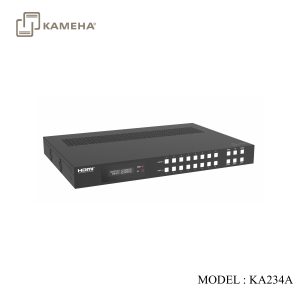
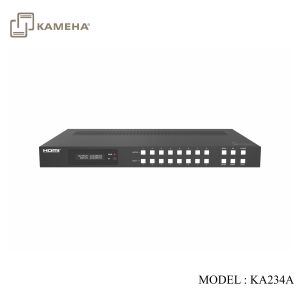
| 1 | OLED screen | Display matrix switching status, input/output port, EDID, baud rate, IP address, etc. |
| 2 | PWR LED | The LED is on green when the device is working. The LED is on red when the device is on standby. |
| 3 | IR | IR signal receiver, receiving the signal from the IR remote. |
| 4 | INPUT / OUTPUT
buttons |
You need to press an output button (1~8) firstly and then press an input button (1~8) to select the corresponding input source for the output port. |
| 5 | MENU / ENTER
/ UP / DOWN |
Take RESET, for example.
1. On the initial OLED display screen, press “MENU” button. There are OUTPUT/ INPUT/EXTAUDIO/SETUP items to be selected. 2. Press the “UP/DOWN” button to select “SETUP” item. 3. Press the “ENTER” button to enter into the next level menu. There are LCD ONTIME/BAUD RATE/IP INFO/REBOOT/RESET items to be selected. 4. Press the “UP/DOWN” button to select “RESET” item. 5. Press the “ENTER” button to confirm the selection. 6. Press the “ENTER” button, and then it will prompt: SUCCESS! · Pressing the “MENU” button will return to the previous menu. · In any level menu, it will return to the initial screen if no operation goes on within 10 seconds. |
| 6 | POWER button | Long press the button for 3 second to enter the standby mode, then short press it to wake up the device. |
| 7 | LOCK button | Short press the button to lock front panel buttons (Except the power button); press it again to unlock. |
Rear Panel
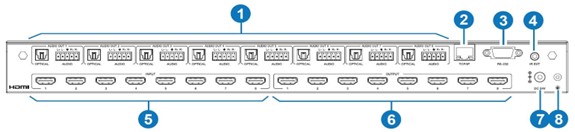
| NO. | Name | Function Description |
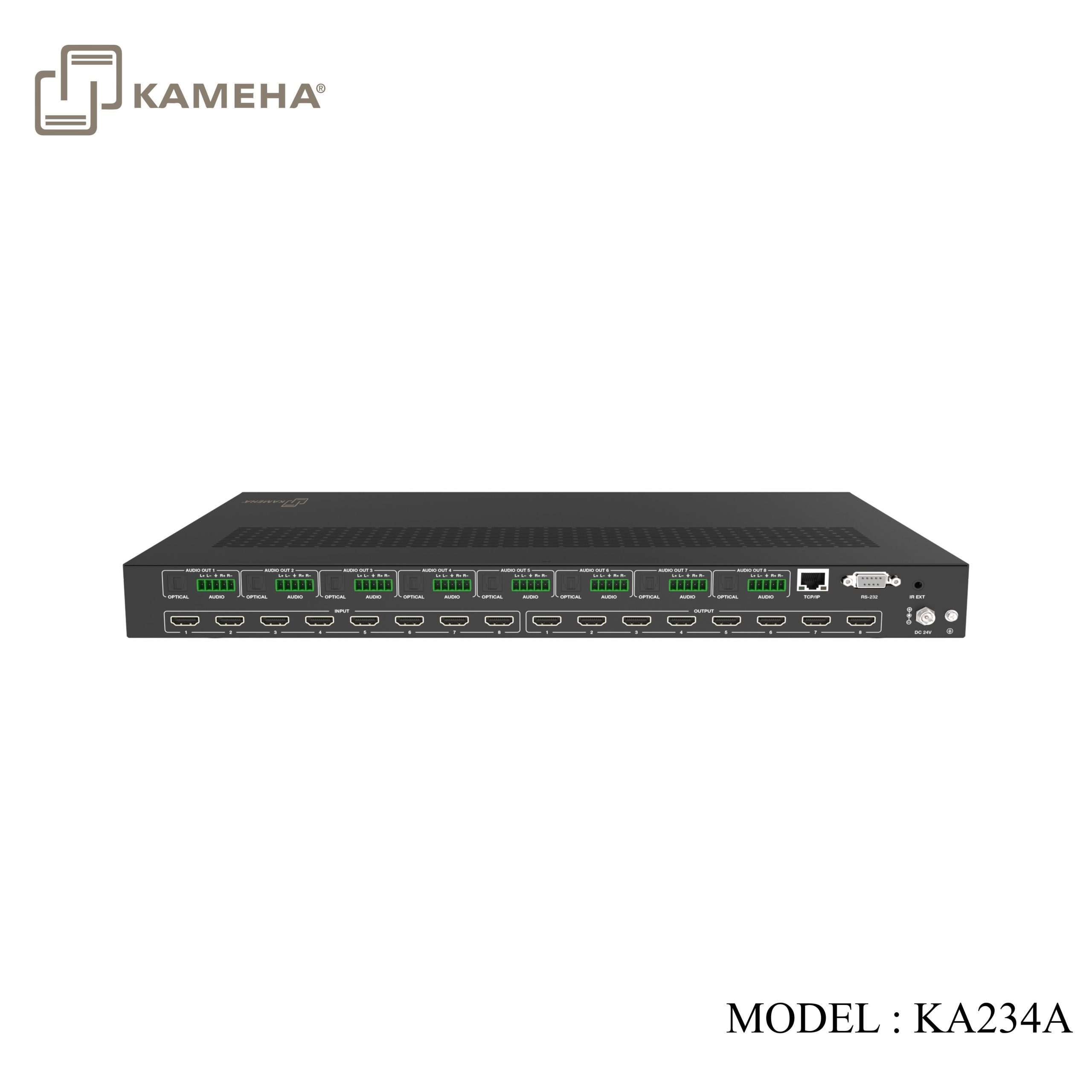
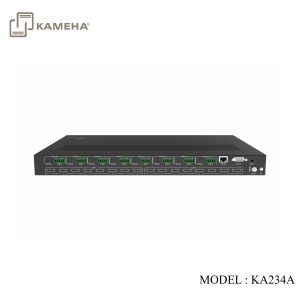
| 1 | AUDIO OUT
(1~8) |
OPTICAL: Optical audio output port, connected to an audio output device such as audio amplifier. |
| L/R AUDIO: Analog audio output port, supporting balanced audio output (with a maximum support of 2Vrms) and unbalanced audio output.
Balanced audio connection method: L+, L -,, R+, R- Unbalanced audio connection method: L+,, R+ |
||
| 2 | TCP/IP | TCP/IP control port, connected to a PC or router with CAT cable. |
| 3 | RS-232 port | Connect to a PC or control system by D-Sub 9-pin cable to transmit RS-232 commands. |
| 4 | IR EXT | IR signal receiving port.
If the IR receiver window of the unit is blocked or the unit is installed in a closed area out of infrared line of sight, the IR receiver cable can be connected to the “IR EXT” port to receive the IR remote signal. |
| 5 | HDMI INPUT ports
(1~8) |
HDMI input ports, connected to HDMI source devices such as Blu-ray player or PC with an HDMI cable. |
| 6 | HDMI OUTPUT
ports (1~8) |
HDMI output ports, connected to HDMI display devices such as TV, monitor or projector with an HDMI cable. |
| 7 | DC 24V | Connect to 24V/3.75A power supply. |
| 8 | GND | Connect the housing to the ground. |
IR Remote
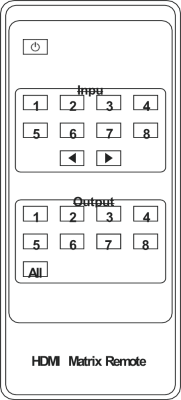
 Power on or Standby: Power on the Matrix or set it to standby mode.
Input 1/2/3/4/5/6/7/8: Press these buttons to select the input source.
◄ ►: Select the last or next input source.
Output 1/2/3/4/5/6/7/8: Press these buttons to select the output display device.
All: Select all output channels simultaneously. For example, when you press the “All” button and then press input “1” button, at this time the input “1” source will be output to all display devices.
NOTE :
1. Multiviewer and video wall do not function simultaneously.
2. Port 1 and Port 5 support Multiviewer mode, and the remaining ports can be configured to either Copy Multiviewer or Matrix. (Multiviewer and Matrix can operate at the same time)
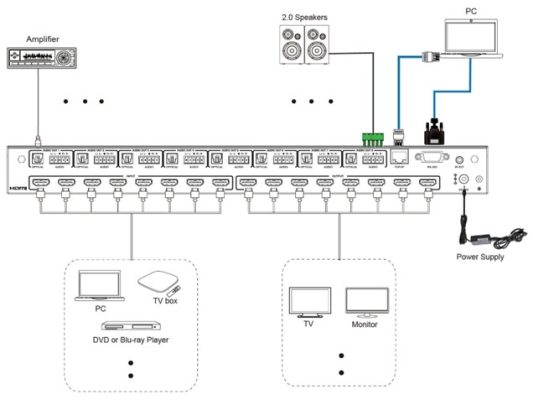
Application Example
Additional information
| Weight | 7.00 kg |
|---|---|
| Dimensions | 68.00 × 41.00 × 13.00 cm |
| WARRANTY | 1 YEAR WARRANTY |
| WHAT'S IN THE BOX? | 1* HDMI V2.0 SEAMLESS MATRIX 8X8 |
Related products