
Description
Introduction
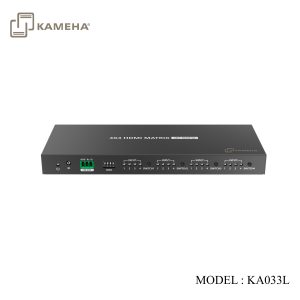
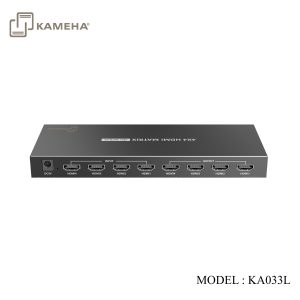
This is a 4 in 4 out HDMI matrix switch, it can switch 4 HDMI input signals to 4 HDMI displays as needed. It supports up to 4096×2160@60Hz HDR UHD resolution, and a variety of switching methods (IR remote control, buttons and RS232) flexibly match input and output devices; Any two of the four HDMI outputs support Auto Down-scaling. This unit is a reliable, ultra-high-definition video transmission solution, which is widely used in security monitoring, education and training, exhibition and broadcasting, command center and other scenarios.
Features
- Support 4 HDMI input signals and 4 HDMI output signals.
- Support up to 4096×2160@60Hz resolution and is backward compatible.
- Support HDR10.
- Support multiple switching mode: IR remote control, buttons, RS232.
- Support setting the EDID of the product.
- Any two of the four HDMI outputs support Auto Down-scaling.
- Lightning protection, surge protection, ESD protection.
Specification
| Items | Description |
| HDMI version | HDMI2.0(HDR,YUV4:4:4) |
| Compatible with HDCP2.2, HDCP1.4 | |
| HDMI interface | 4 HDMI input, 4 HDMI output |
| Transmission rate | 18Gbps |
| Bandwidth | 600MHz |
| Resolution | 480i@60Hz, 480p@60Hz, 576i@50Hz, 576p@50Hz,
720p@50/60Hz, 1080i@50/60Hz, 1080p@50/60Hz, 3840×2160@24/25/30/60Hz, 4096×2160@24/25/30/60Hz |
| Audio format | LPCM7.1/DTS-HD/DTS-Audio/Dolby Digital plus/
Dolby TrueHD 7.1/Dolby Digital 7.1CH/Dolby Atmos |
| RS-232 | 3 Pin(GND/Rx/Tx), Baud rate 9600 |
| Voltage | DC5V/1A |
| Power consumption | <4W |
| Working temperature | -20℃~60℃ |
| Storage temperature | -30℃~70℃ |
| Humidity | 0~90%RH(No Condensation) |
| Housing | Iron |
| Color | Black |
| Weight | 375g |
| Dimensions | 210.0(L)*80.0(W)*21.0(H) mm |
| Protection | ESD protection
1a Contact discharge level 2 (±4KV) 1b Air discharge level 3 (±8KV) Implementation of the standard: IEC61000-4-2 |
| Lightning protection, Surge protection |
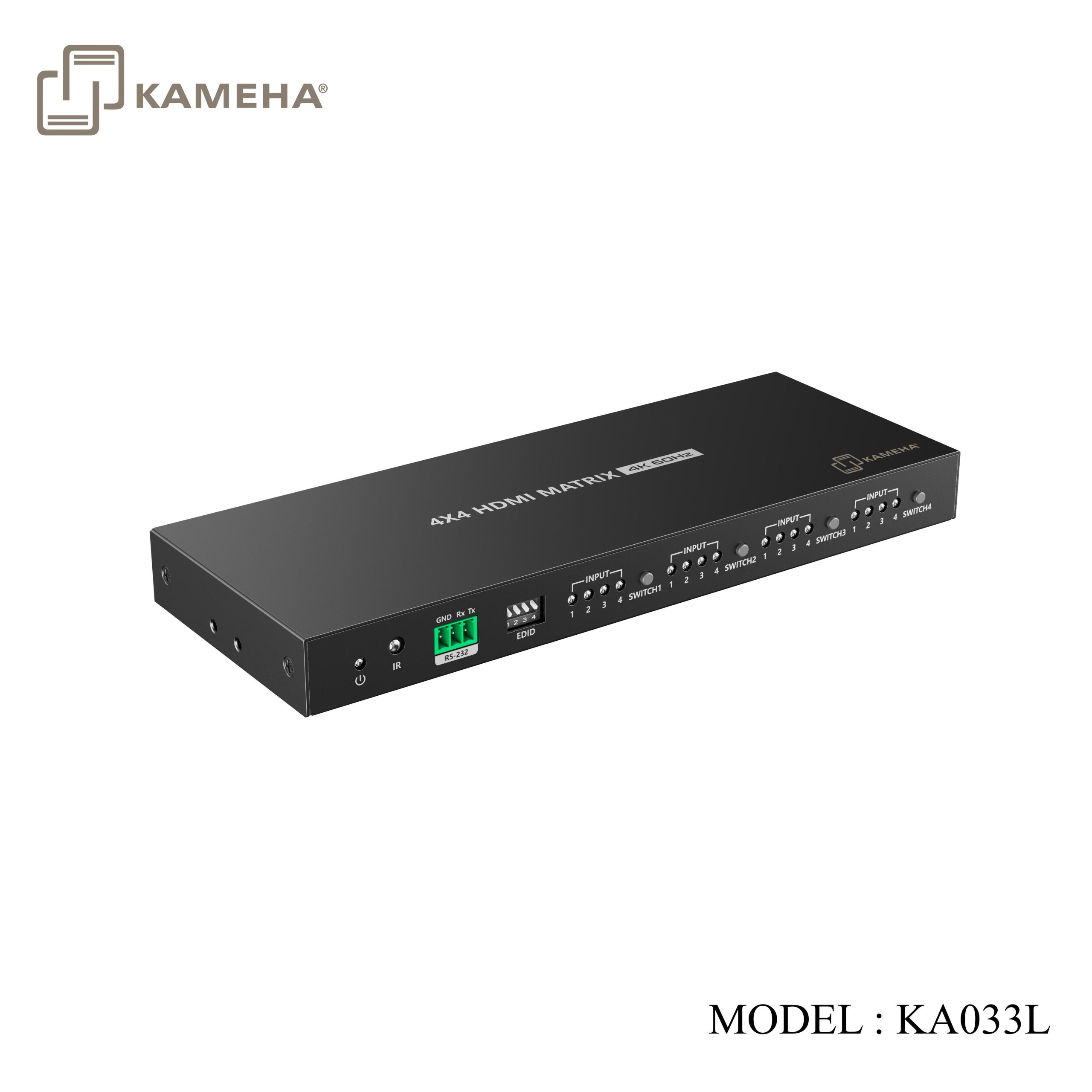
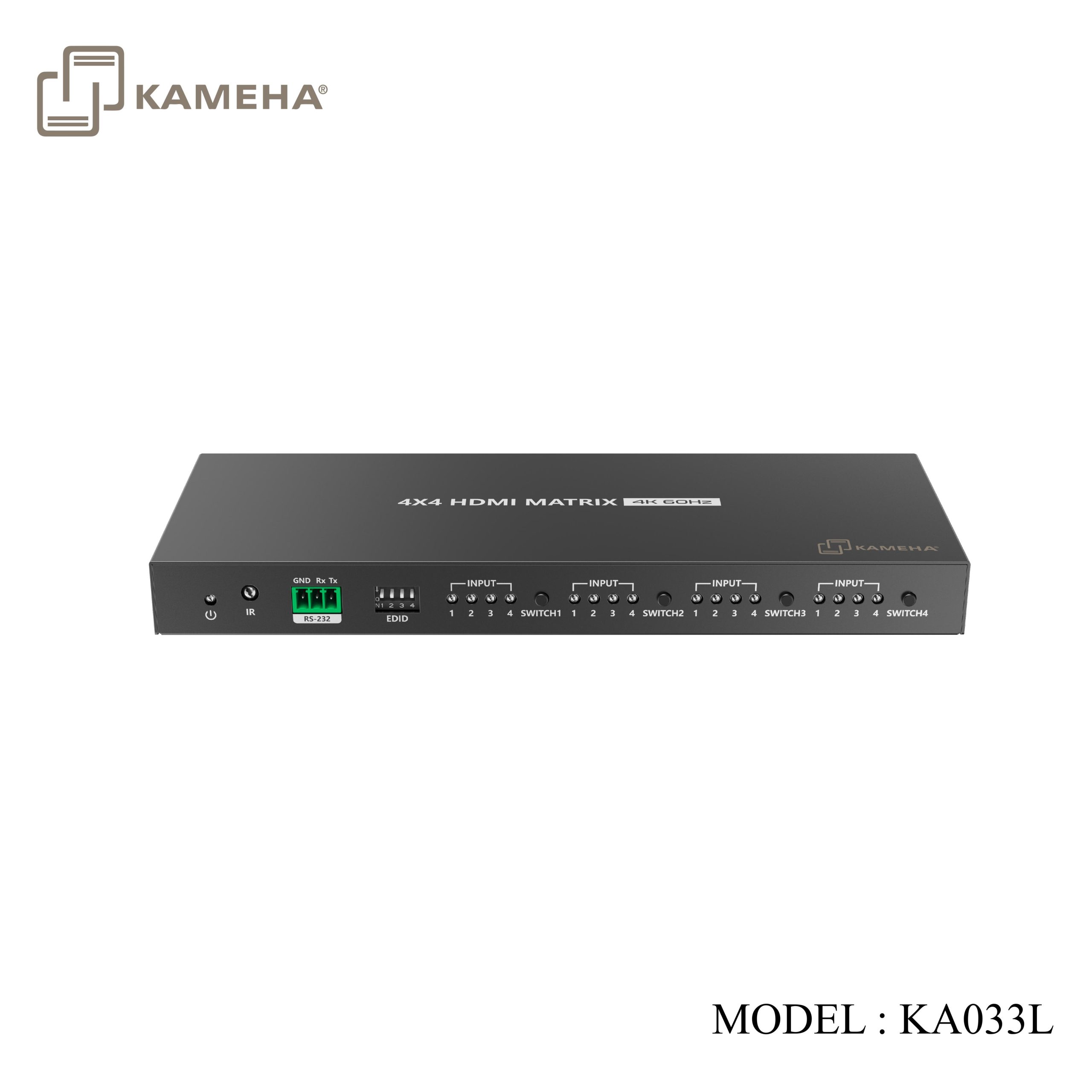
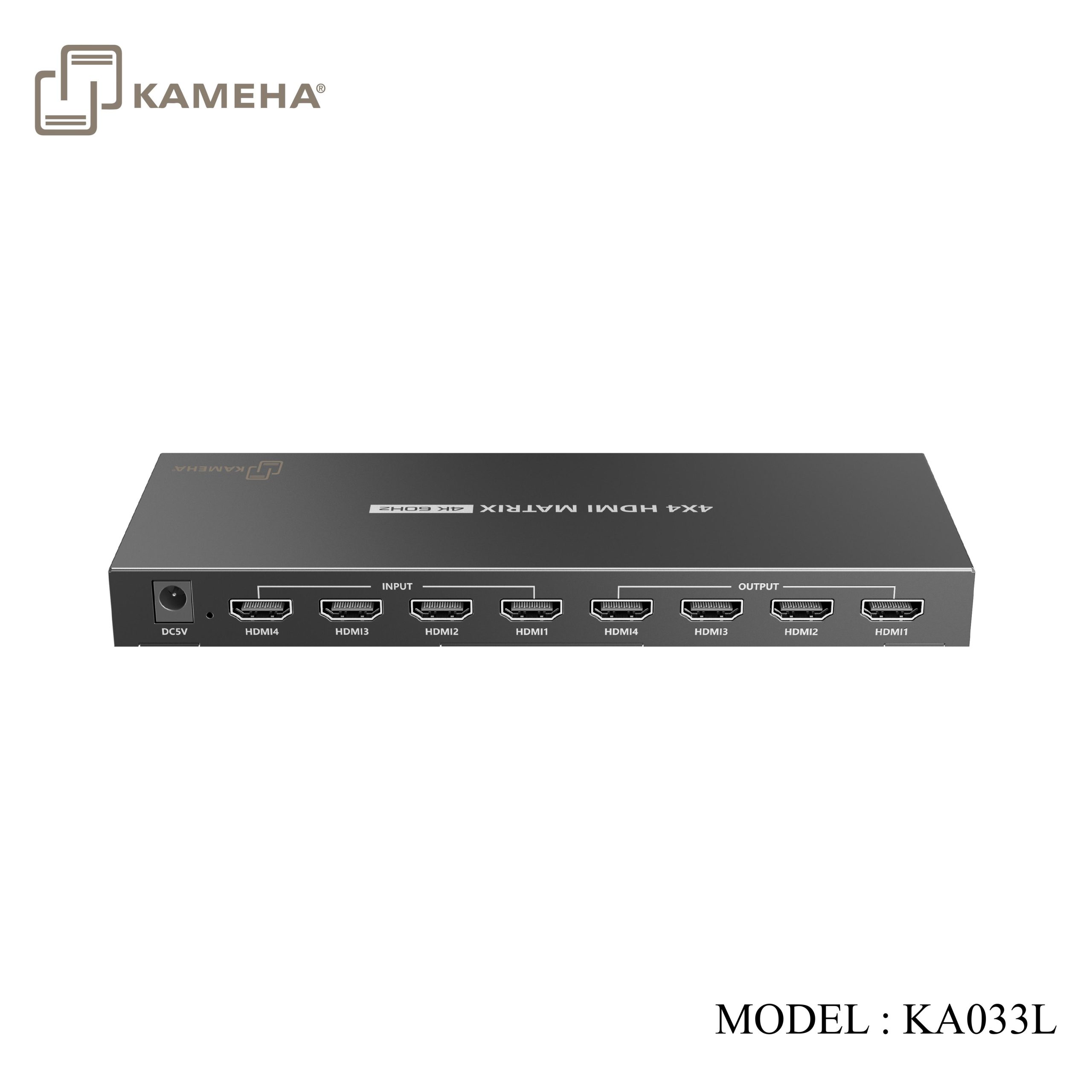
Panel Description
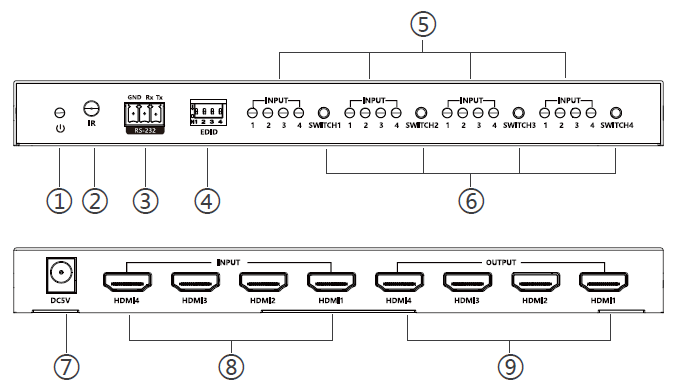
| 1. | Power indicator | When there is power, the indicator will light solid yellow |
| 2. | IR receiving window | Receive IR signal |
| 3. | RS-232 | Used for RS-232 command control |
| 4. | EDID DIP | Switch output display resolution |
| 5. | HDMI input
indicator 1,2,3,4 |
Corresponding to HDMI input 1,2,3,4
respectively |
| 6. | HDMI output
Switch 1,2,3,4 |
Control the switch of HDMI output 1,2,3,4
respectively |
| 7. | DC5V | Connect with DC5V/1A power adapter |
| 8. | HDMI input 1,2,3,4 | Connect with HDMI source device |
| 9. | HDMI output 1,2,3,4 | Connect with HDMI display device |
Remote Control
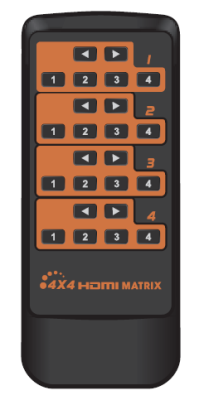
This remote control is just used for inputs or outputs switched.
Installation Procedures
- Connection Diagrams
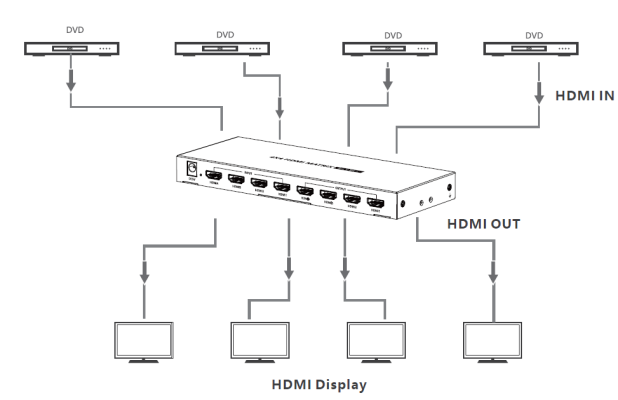
- Connection Instructions
I. Connect the source devices to the HDMI input ports with HDMI cables.
II. Connect the display devices to the HDMI output ports with HDMI cables
III. Power on the devices to get started.
- RS-232 control
Baud rate: 9600
Data bits: 8
stop character: 1
Parity: none
Additional information
| Weight | 0.70 kg |
|---|---|
| Dimensions | 24.00 × 18.00 × 8.00 cm |
| WARRANTY | 1 YEAR WARRANTY |
| WHAT'S IN THE BOX? | 1* Matrix Switch |
Related products


