Description
Introduction
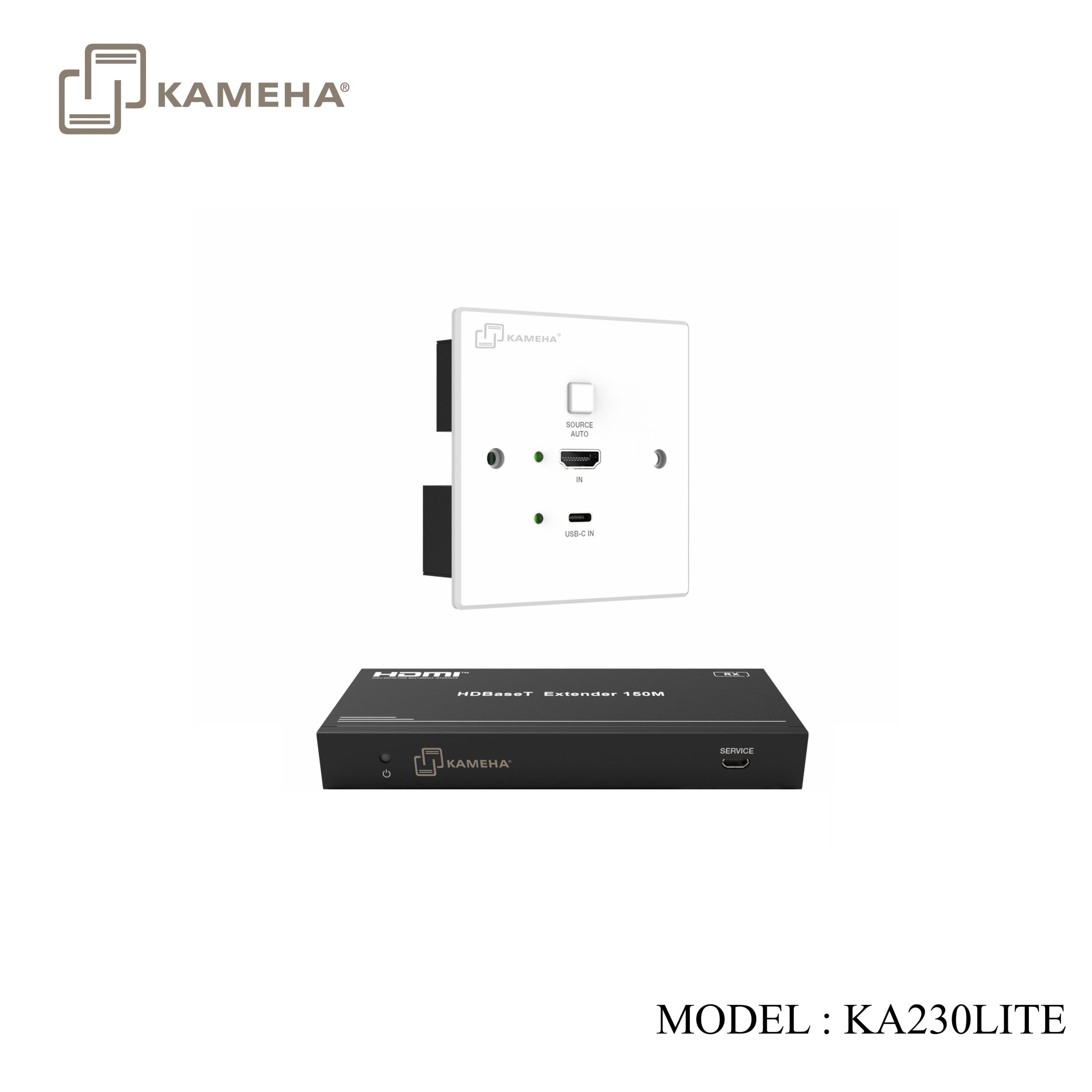
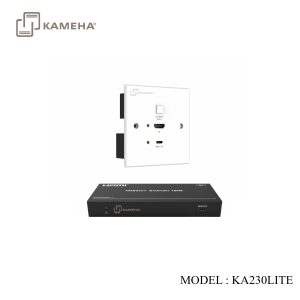
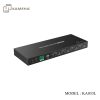
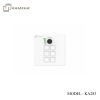
This product can extend HDMI/USB-C signals up to 150m/492ft for 1080P@60Hz, or 120m/394ft for 4K2K@60Hz (4:4:4) via a single CAT6/6A cable. The wall-plate transmitter features one HDMI input and one USB-C input port, supporting manual and automatic switching modes. The box receiver features one HDMI output and one 3.5mm de-embedding audio output. It supports bi-directional PoC and bi-directional IR, RS-232 signal transmission. The multifunctional extender can be widely used in scenarios of demonstration, video conference, multimedia teaching and other HDMI signal extension occasions.
Features
- DP 1.4, HDCP 2.2 compliant
- The transmitter with 1-Gang UK 86×86mm wall plate supports two inputs: 1× HDMI and 1× USB-C
- Video resolution is up to 4K2K@60Hz 4:4:4, and video bandwidth is 18Gbps
- Support auto switching and manual switching
- The maximum transmission distance via CAT6/6A cable is up to:
120m/394ft for 4K2K@60Hz 4:4:4 signal;
150m/492ft for 1080P@60Hz 4:4:4 signal - Support audio format: LPCM 7.1CH, Dolby TrueHD and DTS-HD Master Audio
- Support HDR, HDR10, HDR10+, Dolby Vision, HLG pass-through
- Bi-directional IR, RS-232 and CEC control signal transmission
- Support bi-directional PoC
Specifications
| Technical | |
| HDMI Compliance | HDMI 2.0b |
| HDCP Compliance | HDCP 2.2 |
| Video Bandwidth | 18Gbps |
| Video Resolution | Up to 4K2K@60Hz 4:4:4
Including all 3D TV format Including all resolution in computer such as 1920×1200 |
| Color Depth | 8-bit,10-bit,12-bit |
| Color Space | RGB_4:4:4, YCbCr_4:4:4, YCbCr_4:2:2, YCbCr_4:2:0 |
| HDR | HDR, HDR10, HDR10+, Dolby Vision, HLG |
| HDMI Audio Format | LPCM 2.0/2.1/5.1/6.1/7.1, Dolby Digital, Dolby TrueHD, Dolby
Digital Plus (DD+), DTS-ES, DTS HD Master, DTS HD-HRA, DTS-X |
| L/R Audio Format | LPCM 2.0CH |
| IR Level | 5Vp-p |
| IR Frequency | Wideband 20K-60KHz |
| Transmission
Distance |
Up to 120m/394ft for 4K2K@60Hz 4:4:4 via CAT6/6A cable
Up to 150m/492ft for 1080P@60Hz 4:4:4 via CAT6/6A cable |
| ESD Protection | IEC 61000-4-2: ±8kV (Air-gap discharge) & ±4kV (Contact discharge) |
| Connection | |
| Transmitter | Input: 1× USB-C IN [USB Type C, 24-pin female]
1× HDMI IN [HDMI Type A, 19-pin female] Output: 1× HDBT OUT [RJ45] Control: 1× RS-232 [3-pin 3.5mm phoenix connector] 1× IR IN [3-pin 3.5mm phoenix connector] 1× IR OUT [2-pin 3.5mm phoenix connector] |
| Receiver | Input: 1× HDBT IN [RJ45, 8-pin female]
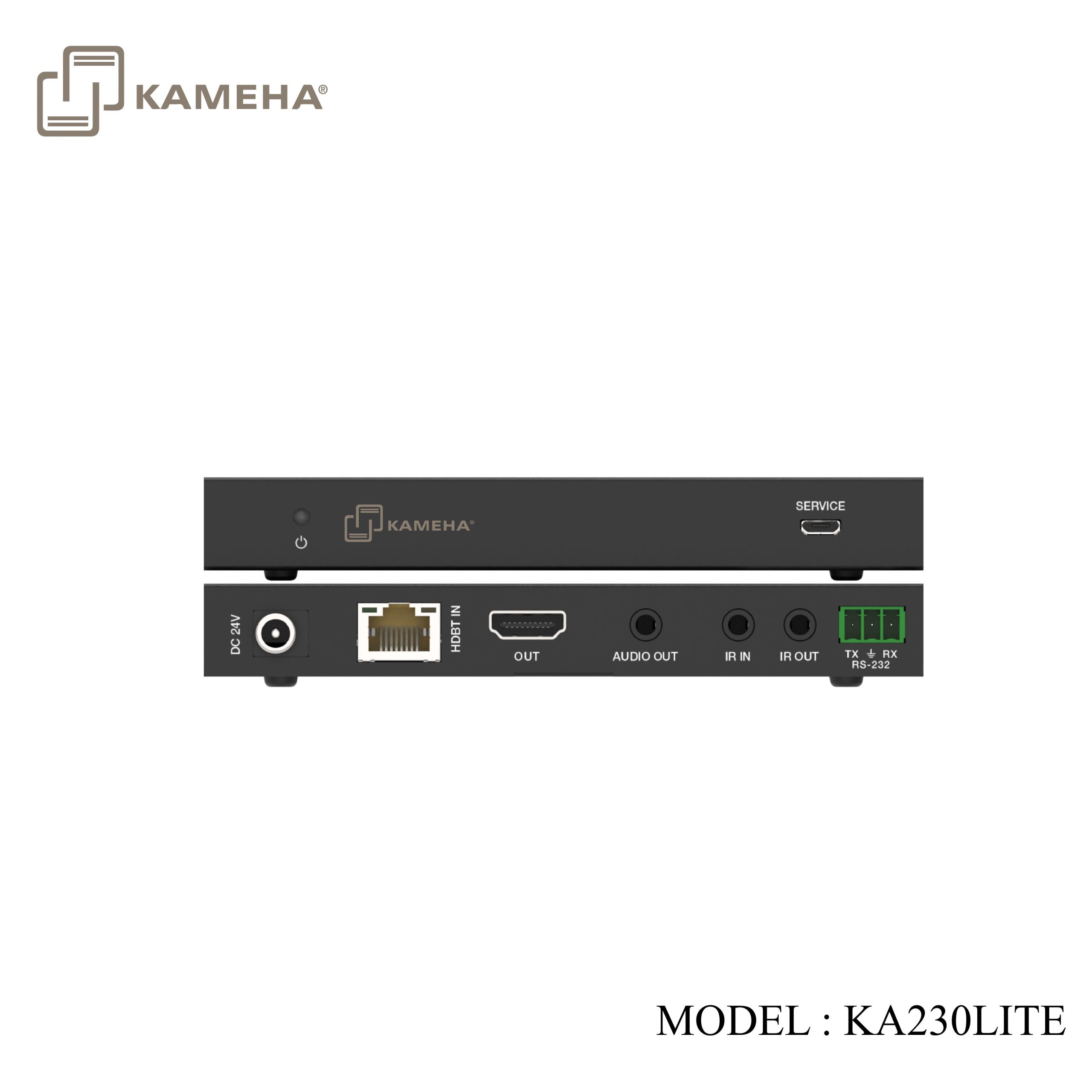
Output: 1× HDMI OUT [HDMI Type A, 19-pin female] 1× AUDIO OUT [3.5mm stereo mini jack] Control: 1× IR IN [3.5mm stereo mini jack] 1× IR OUT [3.5mm stereo mini jack] 1× RS-232 [3-pin phoenix connector] 1× SERVICE [Mini-USB, update port] |
| Mechanical | |
| Housing | Transmitter/Receiver: Metal Enclosure |
| Color | Transmitter: White + Black; Receiver: Black |
| Dimensions | Transmitter: 86mm [W] × 86mm [D] × 40mm [H]
Receiver: 140mm [W] x 65mm [D] x 18mm [H] |
| Weight | Transmitter: 215g, Receiver: 155g |
| Power Supply | Input: AC 100-240V 50/60Hz; Output: DC 24V/1A
(US/EU standard, CE/FCC/UL certified) |
| Power Consumption | Transmitter: 4.5W (Max); Receiver: 4.7W (Max) |
| Operating Temperature | 0°C ~ 40°C / 32°F ~ 104°F |
| Storage Temperature | -20°C ~ 60°C / -4°F ~ 140°F |
| Operating Humidity | 20%~80% relative humidity, non-condensing |
| Storage Humidity | 10%~90% relative humidity, non-condensing |
Operation Controls and Functions
Transmitter Panel
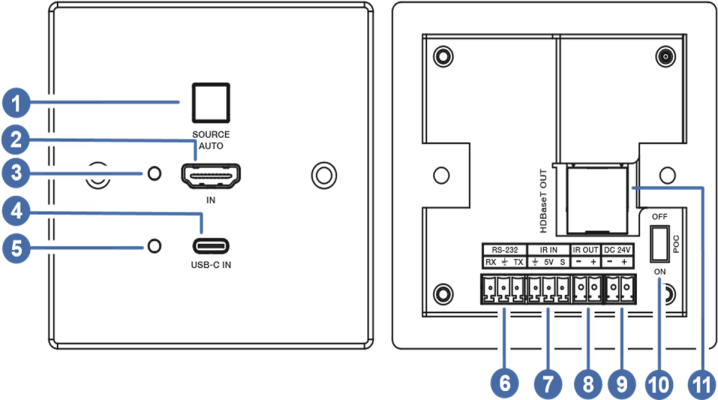
| No. | Name | Function Description |
| 1 | SOURCE/AUTO
button & indicator |
Press to switch the two input sources: USB-C and HDMI. Long press for 3 seconds to enable or disable auto switching function.
The indicator will be blue when auto switching is enabled. |
| 2 | HDMI IN | HDMI input port, supporting video signal up to 4K60 4:4:4. |
| 3 | HDMI LED | The green LED will be on when HDMI input is selected as the input channel. |
| 4 | USB-C IN | USB-C input port, supporting video signal up to 4K60 4:4:4. |
| 5 | USB-C LED | The green LED will be on when USB-C input is selected as the input channel. |
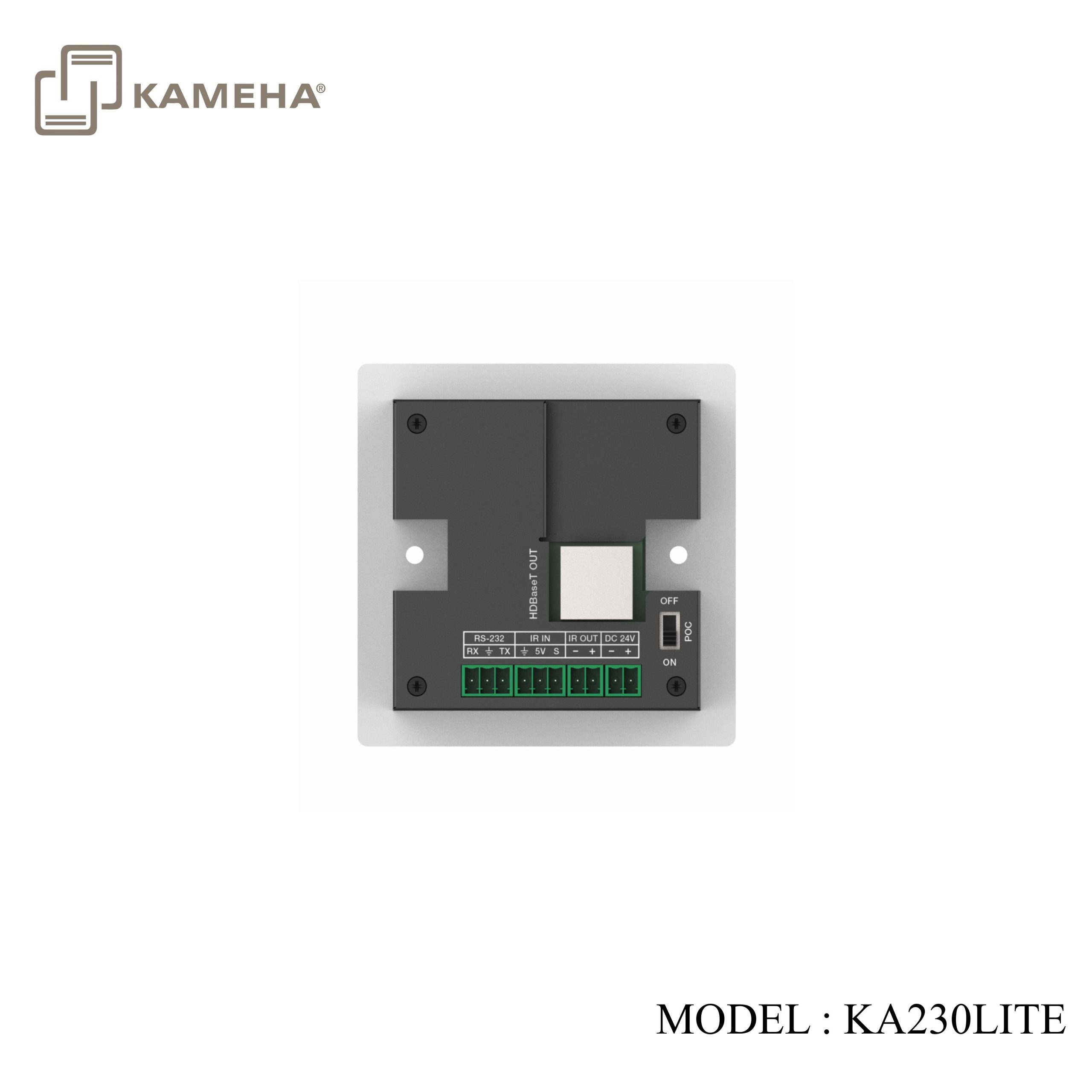
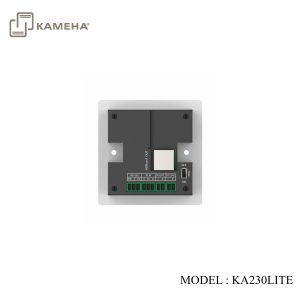
| 6 | RS-232 | 3-pin Phoenix connector for RS-232 command transmission. The RS-232 command will pass-through from transmitter to receiver or from receiver to transmitter. |
| 7 | IR IN | IR input port for receiving the signal of IR remote. |
| 8 | IR OUT | IR output port for control of source device. This IR output signal is from the IR IN port of receiver. |
| 9 | DC 24V | DC 24V/1A power supply input port.
Note that the extender supports PoC function, it means that either transmitter or receiver is powered on by 24V/1A power adapter, the other one doesn’t need power supply. |
| 10 | PoC ON/OFF | PoC switch. Switch to ON to enable PoC function; switch to OFF to disable PoC, and the transmitter is powered from local power supply at this time. |
| 11 | HDBaseT OUT | Connects to the HDBT IN port on Receiver with CAT6/6A cable. |
Receiver Panel
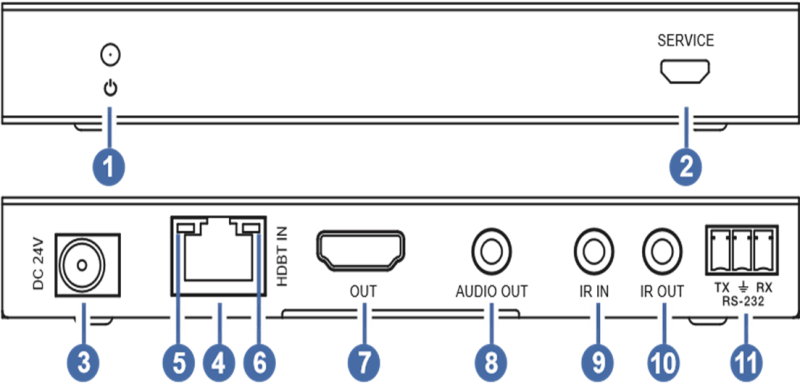
| No. | Name | Function Description |
| 1 | Power LED | Red LED indicates that the receiver is powered on. |
| 2 | SERVICE | Firmware update port. |
| 3 | DC 24V | DC 24V/1A power supply input port.
Note that the extender supports PoC function, it means that either transmitter or receiver is powered on by 24V/1A power adapter, the other one doesn’t need power supply. |
| 4 | HDBT IN | Connects to the HDBT OUT port on Transmitter with CAT6/6A cable. |
| 5 | Connection
Signal Indicator |
▪ On: Transmitter and receiver are in good connection status.
▪ Flashing: Transmitter and receiver are in poor connection status. ▪ Off: Transmitter and receiver are not connected. |
| 6 | Data Signal
Indicator |
▪ On: There is HDMI signal with HDCP.
▪ Flashing: There is HDMI signal without HDCP. ▪ Off: There is no HDMI signal. |
| 7 | HDMI OUT | HDMI signal output for display. |
| 8 | AUDIO OUT | 3.5mm stereo connector for analog audio output. |
| 9 | IR IN | IR signal input port for receiving the signal of IR remote. |
| 10 | IR OUT | IR signal output port for control of display device. This IR output signal is from the IR IN port of transmitter. |
| 11 | RS-232 | 3-pin Phoenix connector for RS-232 command transmission. The RS-232 command will pass-through from transmitter to receiver or from receiver to transmitter. |
Application Example
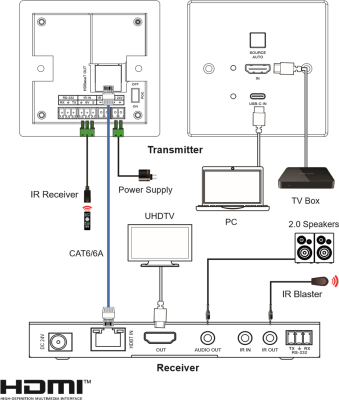
Additional information
| Weight | 0.90 kg |
|---|---|
| Dimensions | 24.00 × 13.50 × 7.20 cm |
| WARRANTY | 1 YEAR WARRANTY |
| WHAT'S IN THE BOX | 1* 4K60 2×1 HDBT Extender (Transmitter) |
Related products