
Description
Introduction
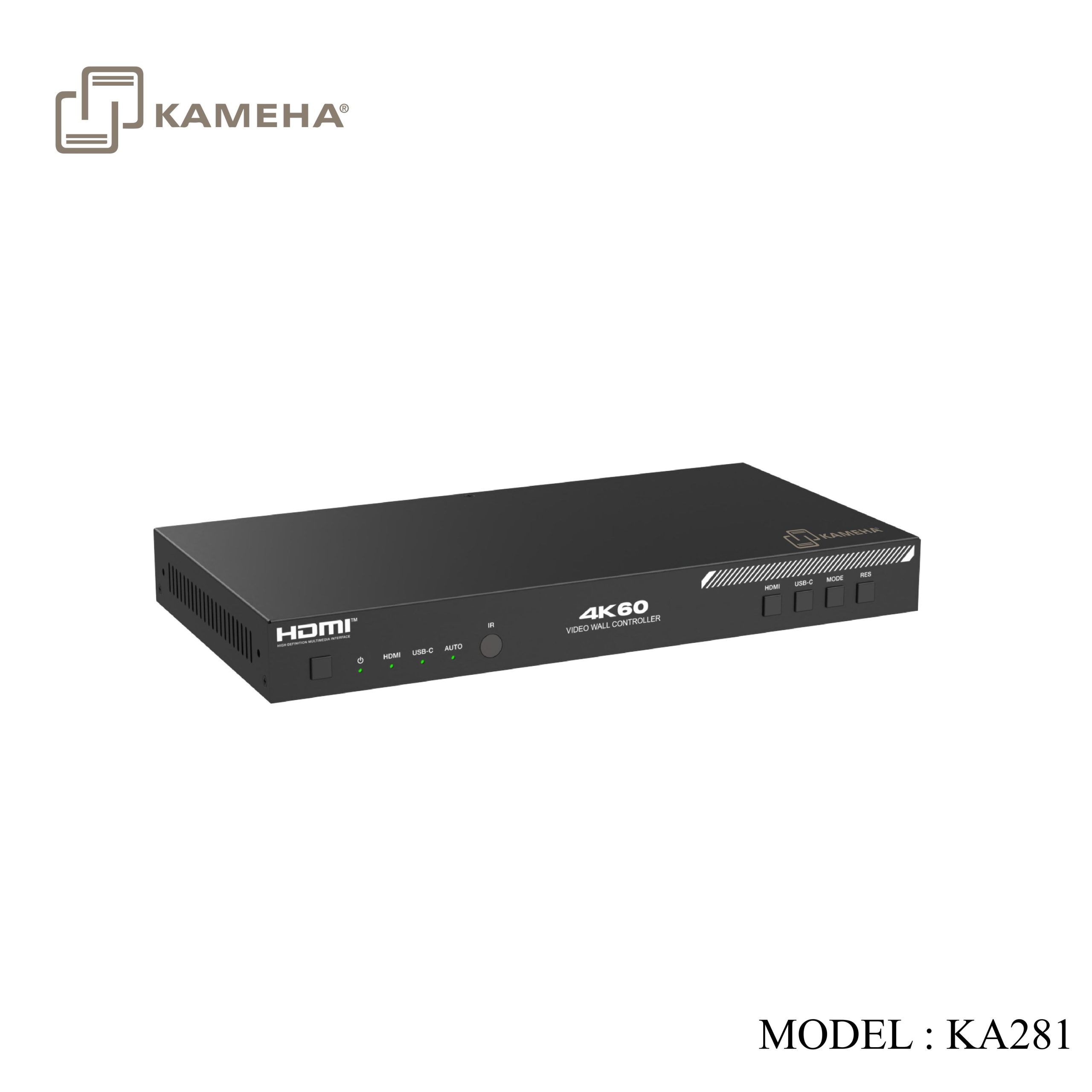
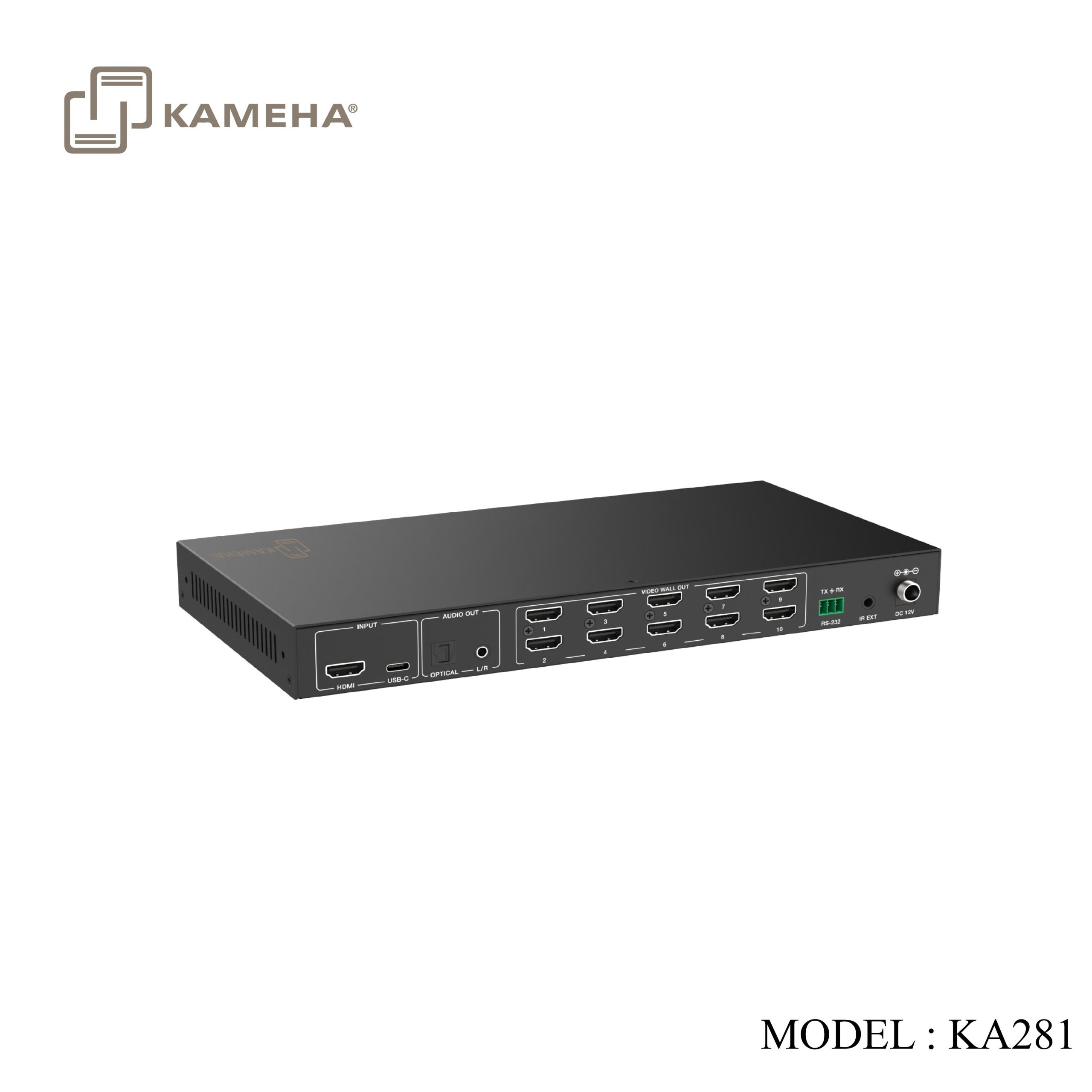
The 4K60 1×10 Video Wall Controller is designed to realize truly capturing, AD converting, routing, and distributing all-format signal to the video wall (LCD displays), while maintaining a true digital signal transmission. It features HDMI™ and USB-C dual inputs with resolution up to 4K@60 4:4:4, and 10 HDMI™ outputs. The product supports multiple video wall modes, such as 2×1, 3×1, 4×1, 1×2, 1×3, 1×4, 2×2, 3×3, 2×4, 2×5. Furthermore, optical audio and L/R analog audio de-embedding output are also supported. It can be controlled via front panel buttons, IR remote and RS-232 commands.
Features
- HDCP 2.2 and DP 1.2a compliant
- HDMI™ and USB-C dual inputs, and the resolution is up to 4K@60Hz 4:4:4
- Support optical audio and L/R analog audio de-embedding output
- Multiple video wall splicing modes: 2×2, 1×4, 4×1, 1×3, 3×3, 2×4, 2×5, etc.
- Support image 180° rotation, convenient for ceiling installation
- Support bezel adjustment for the splicing edge
- Advanced EDID management
- Control via front panel buttons, IR remote and RS-232 commands
- Zero configuration, no drive installation and software setting are required
Specifications
| Technical | |
| HDMI™ Compliance | HDMI™ 2.0b |
| DP Compliance | DP1.4 ALT Mode |
| HDCP Compliance | HDCP 2.2 |
| Video Bandwidth | 18Gbps |
| HDMI™ & USB-C
Input Resolution |
640x480p60Hz, 800x600p60Hz, 1024x768p60Hz, 1280x800p60Hz,
1280x1024p60Hz, 1360x768p60Hz, 1440x900p60Hz, 1440x1050p60Hz, 1600x1200p60Hz, 1920x1200p60Hz, 480i60, 480p60, 576i50, 576p50,720p50/60Hz, 1080i50/60Hz, 1080p24/25/30/50/60Hz, 3840x2160p24/25/30/50/60Hz, 4096x2160p24/25/30/50/60Hz |
| HDMI™
Output Resolution |
720P60Hz, 1080P60Hz, 4K30Hz, 1024x768P60Hz |
| Color Space | RGB_4:4:4, YCbCr_4:4:4, YCbCr_4:2:2, YCbCr_4:2:0 |
| Color Depth | 8/10/12-bit |
| IR Level | 5Vp-p |
| IR Frequency | Fixed Frequency 38KHz |
| HDMI™ & USB-C
Audio Formats |
LPCM 2.0/5.1, Dolby Digital/Plus/EX, DTS, DTS-EX, DTS-96/24 |
| L/R Audio Formats | PCM 2.0 |
| Optical Audio Formats | Dolby Digital/plus, DTS 5.1, PCM 2.0 |
| ESD Protection | IEC 61000-4-2:
±8kV (Air-gap discharge) & ±4kV (Contact discharge) |
| Connection | |
| Inputs | 1× HDMI™ INPUT [HDMI™ Type A, 19-pin female]
1× USB-C INPUT [USB Type C, 24-pin female] |
| Outputs | 10× HDMI™ OUTPUT [HDMI™ Type A, 19-pin female]
1× OPTICAL AUDIO OUT [S/PDIF] 1× L/R AUDIO OUT [3.5mm stereo mini-jack] |
| Control | 1× RS-232 [3pin-3.5mm phoenix connector]
1× IR EXT [3.5mm stereo mini-jack] |
| Mechanical | ||
| Housing | Metal Enclosure | |
| Color | Black | |
| Dimensions | 270mm [W] × 141mm [D] × 30mm [H] | |
| Weight | 935g | |
| Power Supply | Input: AC 100-240V 50/60Hz, Output: DC 12V/2.5A
(US/EU standard, CE/FCC/UL certified) |
|
| Power Consumption | 9.5W (Max) | |
| Operating Temperature | 0°C ~ 40°C / 32°F ~ 104°F | |
| Storage Temperature | -20°C ~ 60°C / -4°F ~ 140°F | |
| Operating Humidity | 20%~80% (relative humidity, non-condensing) | |
| Storage Humidity | 10%~90% (relative humidity, non-condensing) | |
| Recommended HDMI Cable | ||
| Video Resolution | 4K60 | 1080P |
| HDMI™ Cable Length
(IN / OUT) |
5m/16ft | 10m/33ft |
Operation Controls and Functions
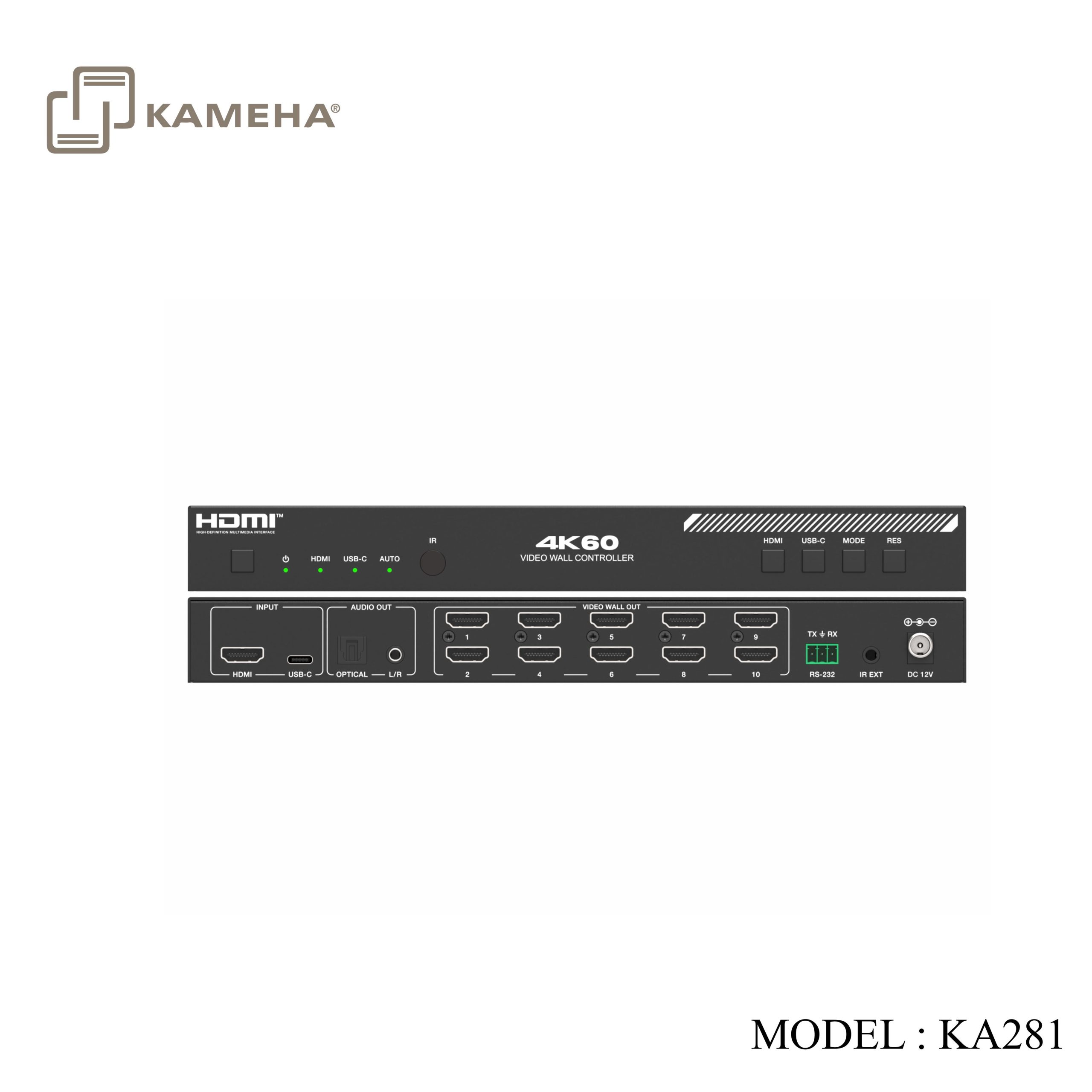
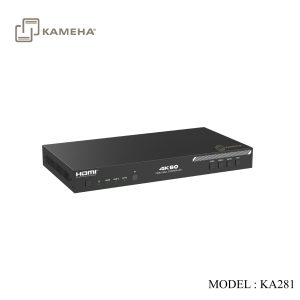
Front Panel
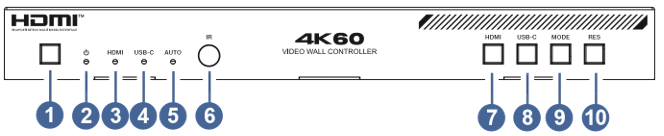
| No. | Name | Function Description |
| 1 | Power Button | In shutdown/standby status, short press this button to power on; In power-on status, long press this button 2-3 seconds to enter standby status |
| 2 | Power LED | The LED will light in green when the product is working normally, and red when the product is standby. |
| 3 | HDMI LED | The green LED will light up when HDMI input is selected. |
| 4 | USB-C LED | The green LED will light up when USB-C input is selected. |
| 5 | AUTO LED | The green LED will light up when auto switching is enable. |
| 6 | IR window | IR signal receiving window. |
| 7 | HDMI button | Press this button to select the HDMI input channel |
| 8 | USB-C button | Press this button to select the USB-C input channel |
| 9 | MODE button | Press this button to switch the 15 splicing modes circularly. |
| 10 | RES button | Press this button to switch the resolutions of 720p, 1080p, 4k, XGA for the ten HDMI outputs circularly. |
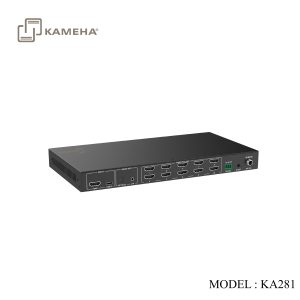
Rear Panel
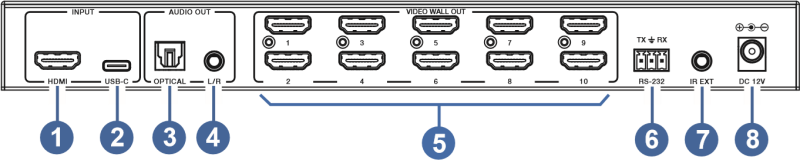
| No | Name | Function Description |
| 1 | HDMI INPUT | HDMI signal input port, connected to an HDMI source device. |
| 2 | USB-C INPUT | USB-C input port, connected to a USB-C source device. |
| 3 | OPTICAL AUDIO OUT | Optical audio de-embedding output port, connected to an audio output such as audio amplifier. |
| 4 | L/R AUDIO OUT | Analog audio de-embedding output port, connected to an audio. |
| 5 | VIDEO WALL OUT (1~10) | HDMI signal output ports, connected to TVs. |
| 6 | RS-232 | 3-pin phoenix connector, connected to a PC or control system for serial port upgrade or RS-232 command control. |
| 7 | IR EXT | IR signal receiving port, connected to IR Receiver cable. If the IR signal receiving window of the unit is blocked or the unit is installed in a closed area out of infrared line of sight, the IR receiver cable can be connected to the “IR EXT” port to receive the IR remote signal. |
| 8 | DC 12V | Connect to 12V/2.5A power adapter. |
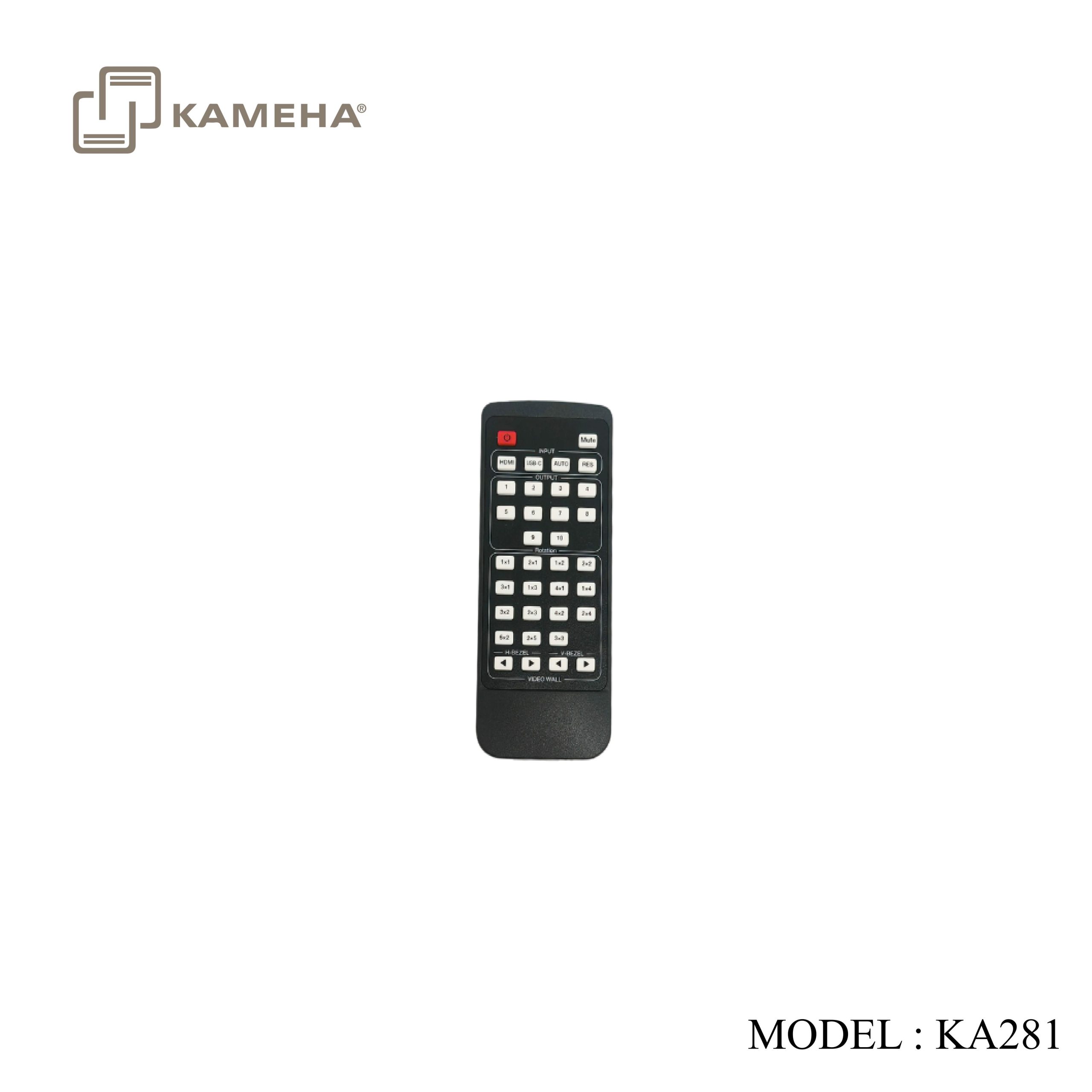
IR Remote
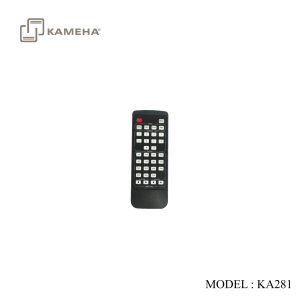
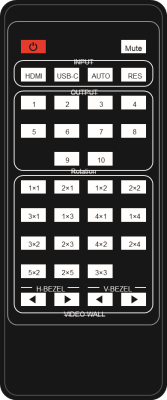 Power: Press to power on or enter the standby mode.
Mute: Press to mute the audio of HDMI, Optical and L/R audio output ports
HDMI: Press to select the HDMI input channel.
USB-C: Press to select the USB-C input channel.
AUTO: Press to enable or disable the auto switching function for the inputs.
RES: Press to switch the resolutions of 720p, 1080p, 4K, XGA for the ten HDMI outputs circularly.
Rotation 1~10: Press each number button to switch rotation angle between 0˚ and 180˚ for the corresponding output channel.
Splicing Modes: Press to switch the 15 splicing modes for the outputs.
H-BEZEL & V-BEZEL ◄ ►: Press to adjust the bezels of the splicing images.
Application Example
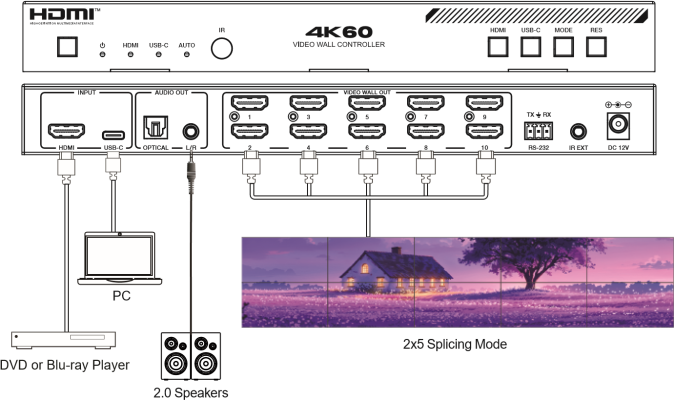
Additional information
| Weight | 1.80 kg |
|---|---|
| Dimensions | 35.00 × 21.00 × 8.00 cm |
| WARRANTY | 1 YEAR WARRANTY |
| WHAT'S IN THE BOX? | 1* 4K60 1×10 Video Wall Controller |
Related products