
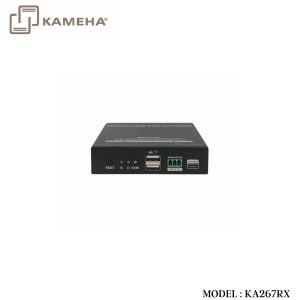
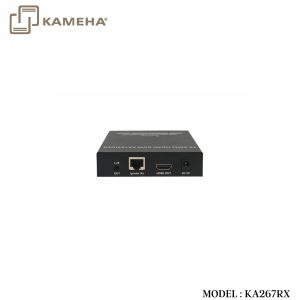

Description
Introduction
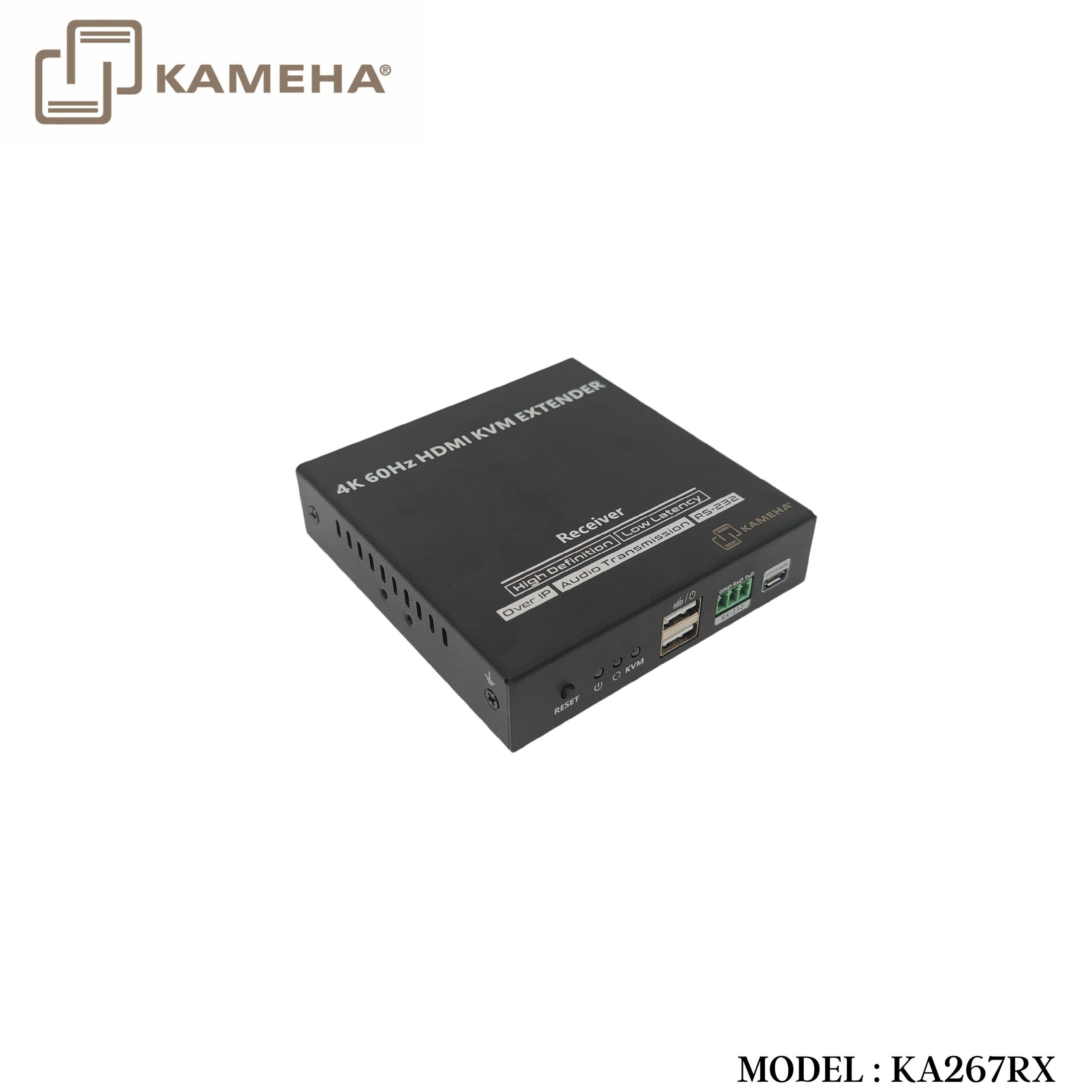
This product is a 4K@60Hz HDMI KVM extender kit consisting of a transmitter and a receiver, using ipcolor STREAM technology for high definition, low-latency transmission. The 4K@60Hz HDMI signal can be extended up to 120m via category 6 and above network cables, supporting one-to-one connection, one-to-many connection via gigabit switch, or switch cascading. It also supports HDMI loop out, KVM, and RS-232 passthrough, and can be widely used in meetings, home entertainment, educational presentations, and other fields.
Features
1. Adopting ipcolor STREAM technology can realize high-definition and low-latency transmission.
2. Support up to 3840 x 2160@60Hz resolution, backwards compatible.
3. Compatible with Cat5/5e/6 or above network cables, transmission distance of Cat6 cable is 120 meters.
4. Support one-to-one or one-to-many connections through the gigabit switch.
5. Support RS-232 passthrough.
6. The transmitter supports HDMI loop out.
7. Support KVM control signal passback.
8. The transmitter has a 3.5 mm audio input for sound embedding, the receiver has an independent 3.5 mm audio output.
9. Firmware can be upgraded through Micro USB.
10. Lightning protection, surge protection, ESD protection.
11. Support steady 24-hour operation.
Specifications
| Item | Transmitter | Receiver | ||
| Video | ||||
| Input interface | 1x HDMI | 1x RJ45 | ||
| Output interface | 1x HDMI 1x RJ45 |
1x HDMI | ||
| HDMI length | ≤5m | ≤5m | ||
| Maximum transfer rate | 18Gbps | |||
| Compatibility | HDMI 2.0 | |||
| HDCP 1.4/HDCP 2.2 | ||||
| Resolutions | 3840×2160@24/30/50/60Hz, 1080p@50/60Hz,
720p@50/60Hz, 1920×1200@60Hz, 2560×1440@60Hz, 2560×1600@60Hz |
|||
| Connection type | One-to-one connection
One-to-many connection Switch cascading |
|||
| Transmission distance | Cat6/6A/7≤120m | |||
| Transmission latency | 80~140ms | |||
| Audio Signal | ||||
| Input Interface | 1x HDMI 1x 3.5mm L/R |
1x RJ45 | ||
| Output Interface | 1x RJ45 | 1x HDMI 1x 3.5mm L/R |
||
| HDMI output | LPCM 2.0 | |||
| 3.5mm L/R output | PCM | |||
| Command Signal | ||||
| RS-232 (GND/RXD/TXD) | Default baud rate: 115200
Supported: 2400, 4800, 9600, 19200, 38400, 57600, 115200 |
|||
| Power | ||||
| Power supply | DC 5V/2A | DC 5V/2A | ||
| Power Consumption | TX ≤ 5.5w | RX ≤ 4w | ||
| Operating Environment | ||||
| Woking temperature | -20°C ~60°C | |||
| Storage temperature | -30°C ~ 70°C | |||
| Humidity | 0 ~90%RH (no condensation) | |||
| Physical Properties | ||||
| Housing | Iron | |||
| Weight | TX: 315g | RX: 307g | ||
| Color | Black | |||
| Dimensions | 106.0(L)*103.0(W)*20.6(H)mm | |||
| Protection | ESD protection
1a Contact discharge level 2 (±4KV) 1b Air discharge level 3 (±8KV) Implementation of the standard: IEC61000-4-2 |
|||
| Lightning protection, Surge protection | ||||
Panel Description
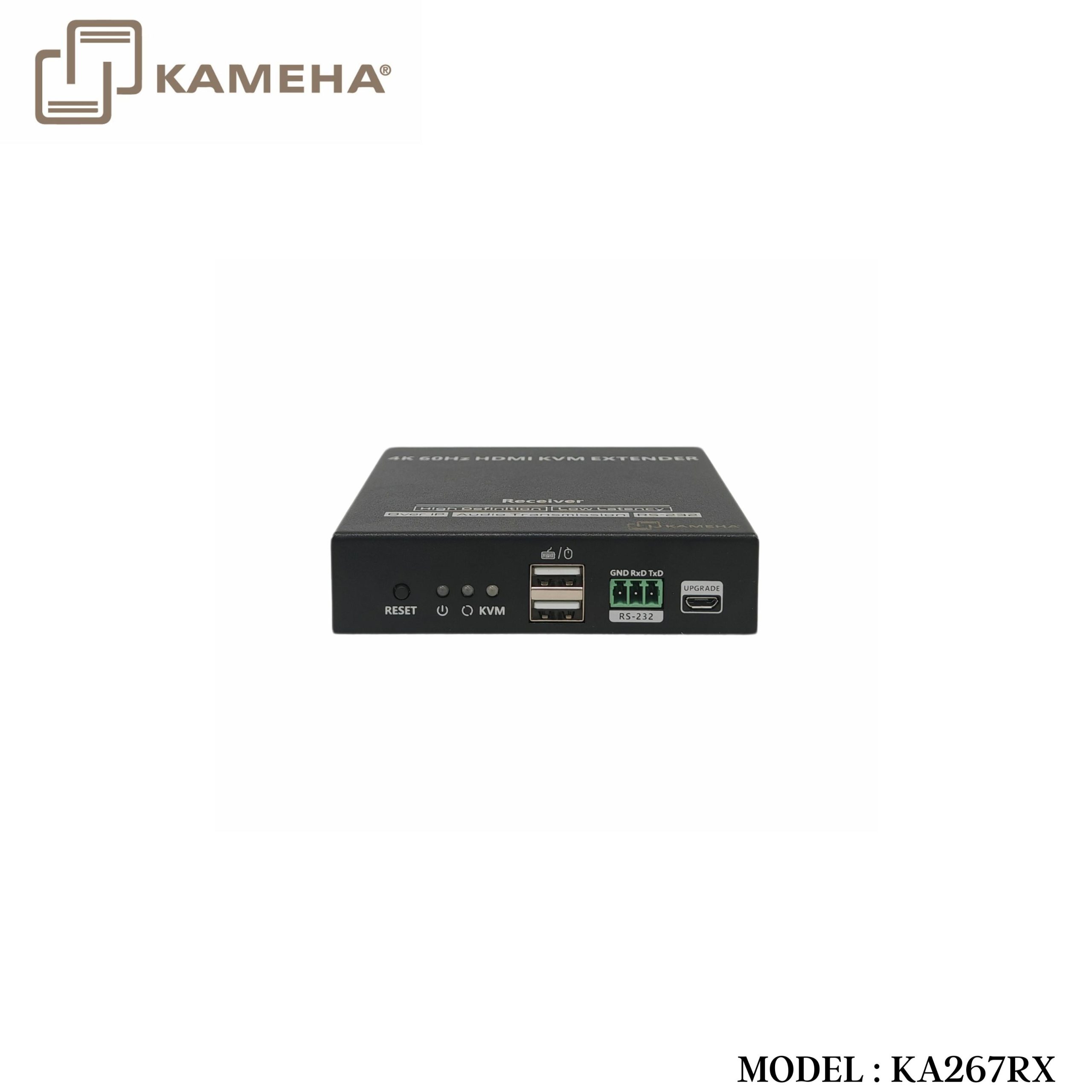
Receiver
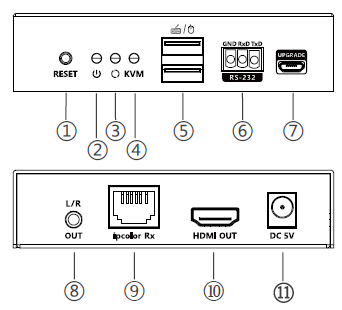
| 1. | Reset | Press to restart the device |
| 2. | Power indicator
(blue) |
The indicator will turn on when the power is
turned on |
| 1. | Status indicator
(orange) |
1. Light off: The transmitter and the receiver have not established a connection
2. Slow flash: The transmitter and the receiver are connected but no video data transmission (gigabit Ethernet) 3. Quick flash: The transmitter and the receiver are connected but no video data transmission (100M Ethernet) 4. Steady on: The video data is transmitting |
| 4. | KVM indicator | 1. Light flashing: The KVM data is transmitting
2. Steady on: The mouse and the keyboard are connected |
| 5. | USB-A port | Connect the mouse and the keyboard |
| 6. | RS-232
(GND/RXD/TXD) |
Used for RS-232 passthrough |
| 7. | Micro USB port | Used for firmware upgrading |
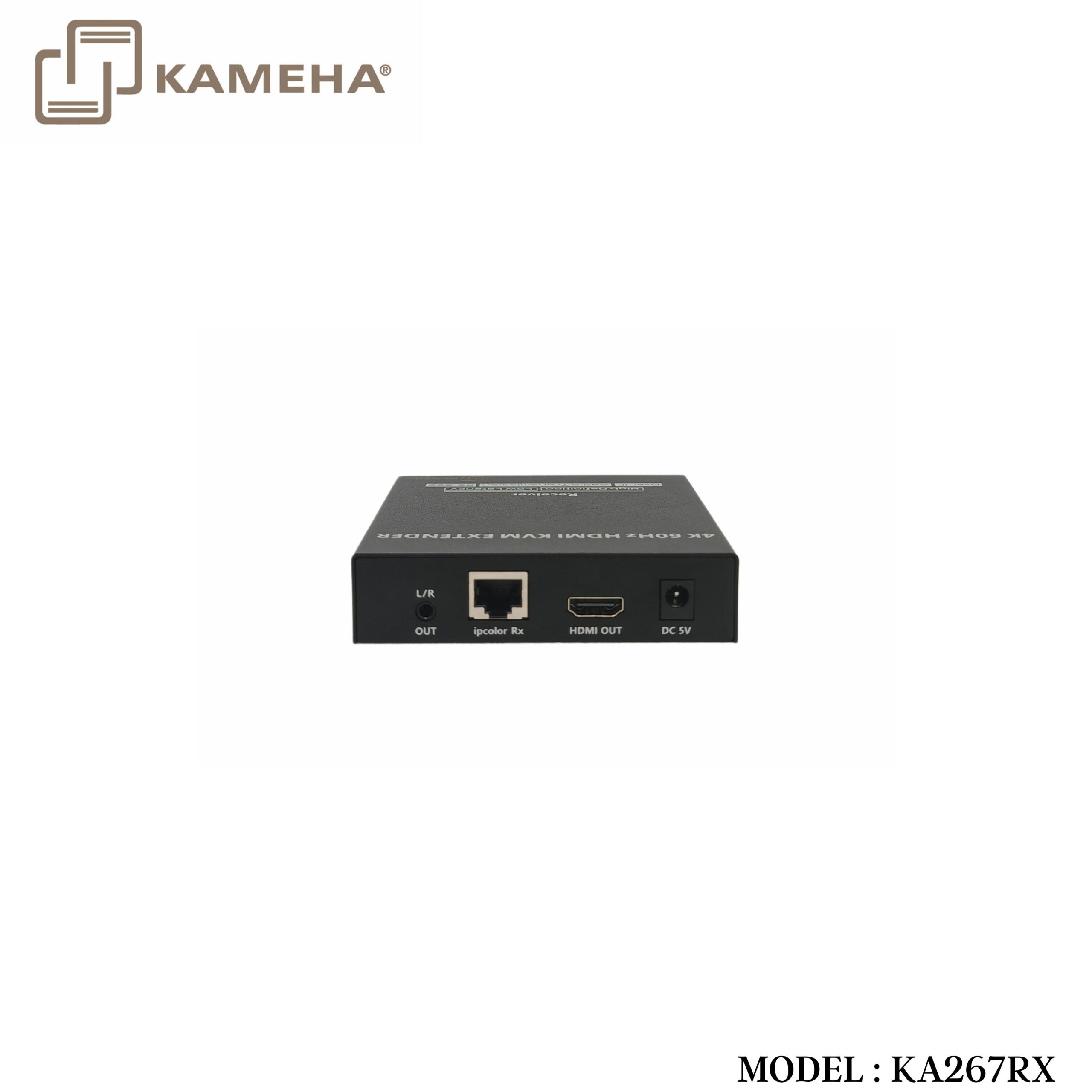
| 8. | L/R OUT | Connect to the audio device with 3.5mm stereo
audio cable |
| 9. | ipcolor Rx (RJ45) | Connect with the network cable |
| 10. | HDMI output | Connect with HDMI display device |
| 11. | DC 5V | Connect with DC5V/2A power adapter |
Connection Diagrams
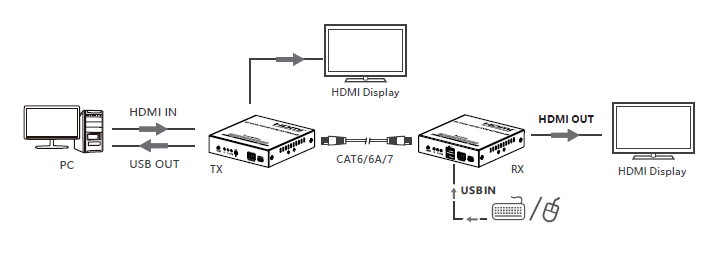
One-to-one connection
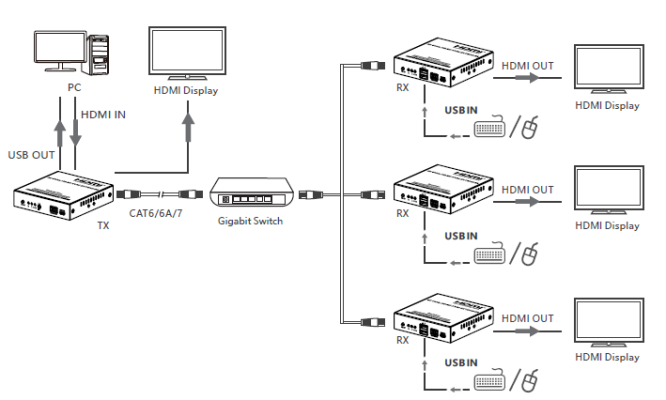
One-to-many connection (through gigabit switch)
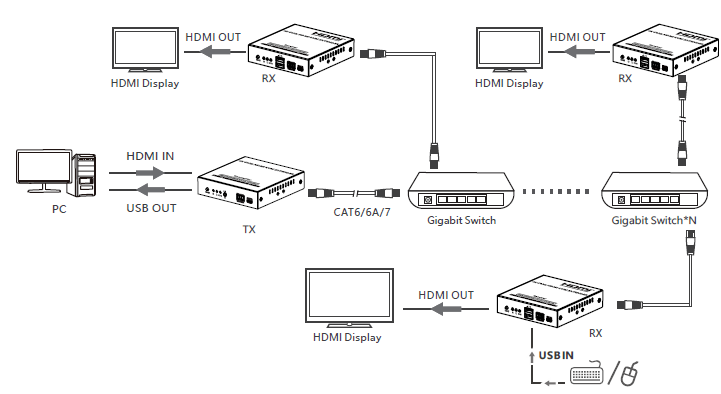
One-to-many connection (cascade of gigabit switches)
Additional information
| Weight | 0.60 kg |
|---|---|
| Dimensions | 20.20 × 15.00 × 8.00 cm |
| Warranty | 1 YEAR WARRANTY |
| WHAT'S IN THE BOX | 1* 4K KVM HDMI Extender Receiver |
Related products


