



Description
Introduction
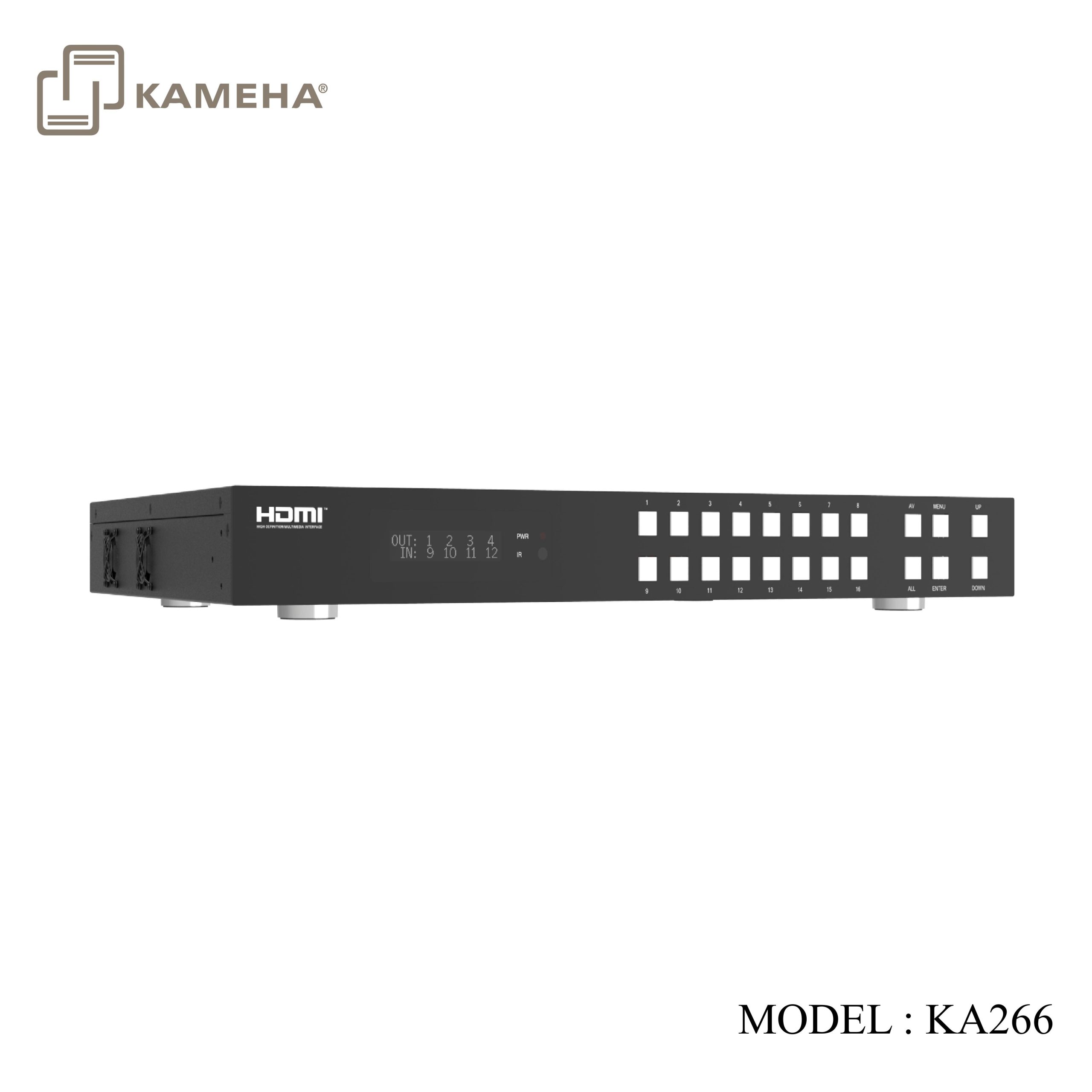
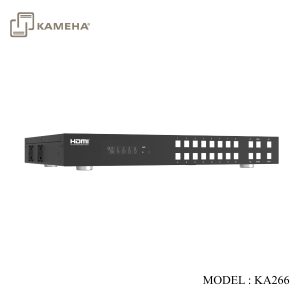
The 18Gbps 16×16 HDMI Matrix supports the transmission of video (resolution up to 4K2K@ 60Hz YUV 4:4:4) and multi-channel high resolution digital audio from 16 HDMI sources to 16 HDMI displays. Audio de-embedded to coaxial audio is supported from 16 HDMI output ports. While HDMI output ARC function is enabled, the ARC audio from HDMI display devices will be extracted to coaxial audio output. Each HDMI output of this 16×16 HDMI Matrix supports 4K2K to 1080P downscaler independently. Control via front panel buttons, IR remote, RS-232, LAN and Web GUI.
Features
• HDMI 2.0b, HDCP 2.2/1.x and DVI 1.0 compliant
• Video resolution up to 4K2K@60Hz (YUV 4:4:4) on all HDMI ports
• Support 18Gbps video bandwidth
• HDR, HDR10, HDR10+, Dolby Vision and HLG are supported.
• Support 4K->1080P Down Scaler for each output port
• HDMI audio pass-through up to 7.1CH HD audio (LPCM, Dolby TrueHD and DTS-HD Master Audio)
• Audio de-embedded is supported via coax ports
• ARC, CEC and smart EDID management are supported
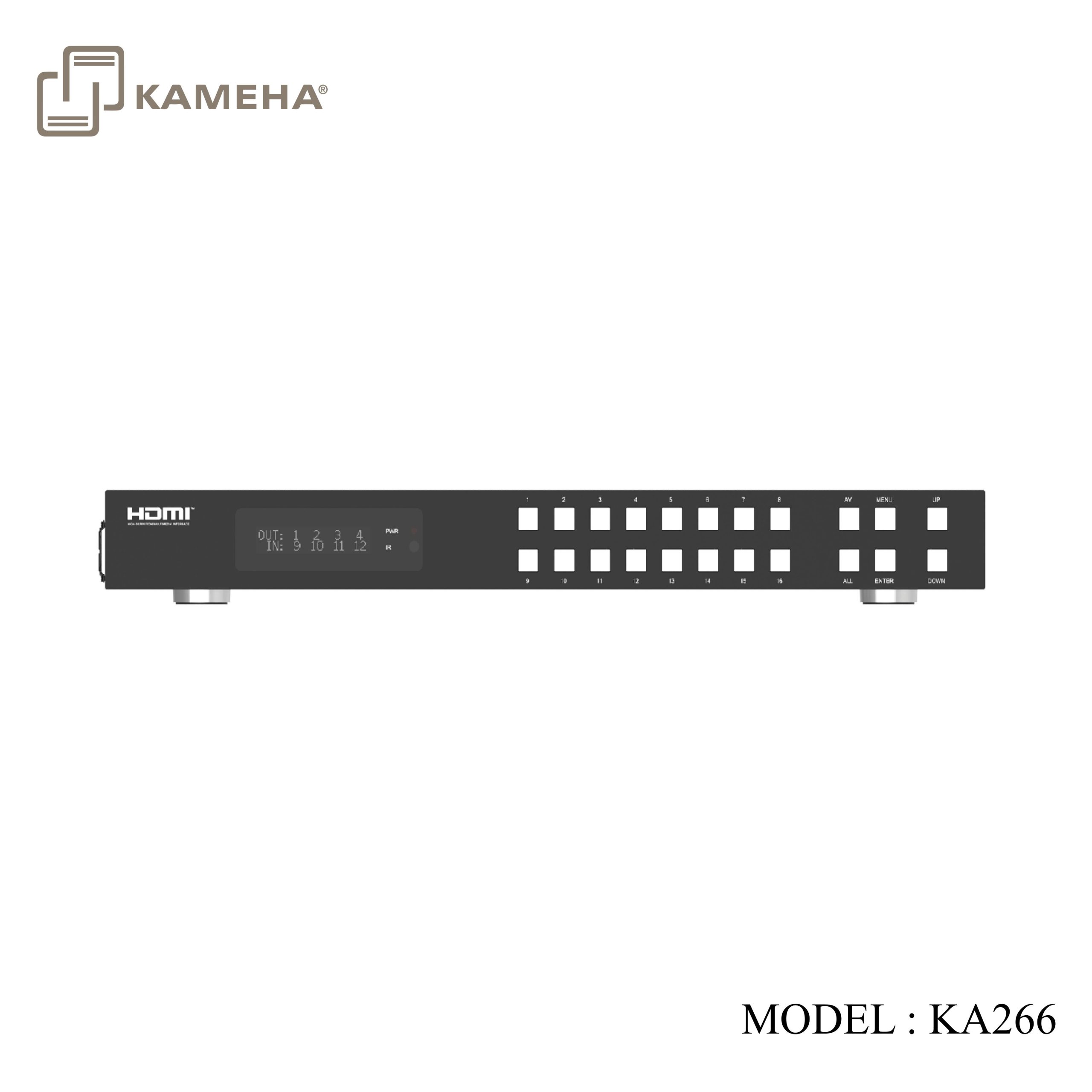
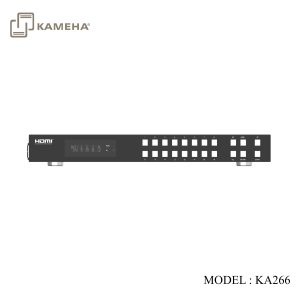
• 1U rack mounted design with front panel OLED display
• Control via front panel buttons, IR remote, RS-232, LAN and Web GUI
Specifications
| Technical | |||
| HDMI Compliance | HDMI 2.0b | ||
| HDCP Compliance | HDCP 2.2/1.x | ||
| Video Bandwidth | 18Gbps | ||
| Video Resolution | Up to 4K2K@60Hz (4:4:4) | ||
| Color Space | RGB, YCbCr 4:4:4/4:2:2/4:2:0 | ||
| Color Depth | 8-bit, 10-bit, 12-bit | ||
| HDMI Audio Formats
(Pass-through) |
LPCM 2/5.1/7.1, Dolby Digital, DTS 5.1, Dolby Digital+,
Dolby TrueHD, DTS-HD Master Audio, Dolby Atmos, DTS:X |
||
| Coax Audio Formats | LPCM 2.0, Dolby Digital / Plus, DTS 5.1 | ||
| HDR formats | HDR10, HDR10+, Dolby Vision, HLG | ||
| ESD Protection | Human-body Model:
±8kV (Air-gap discharge) , ±4kV (Contact discharge) |
||
| Connection | |||
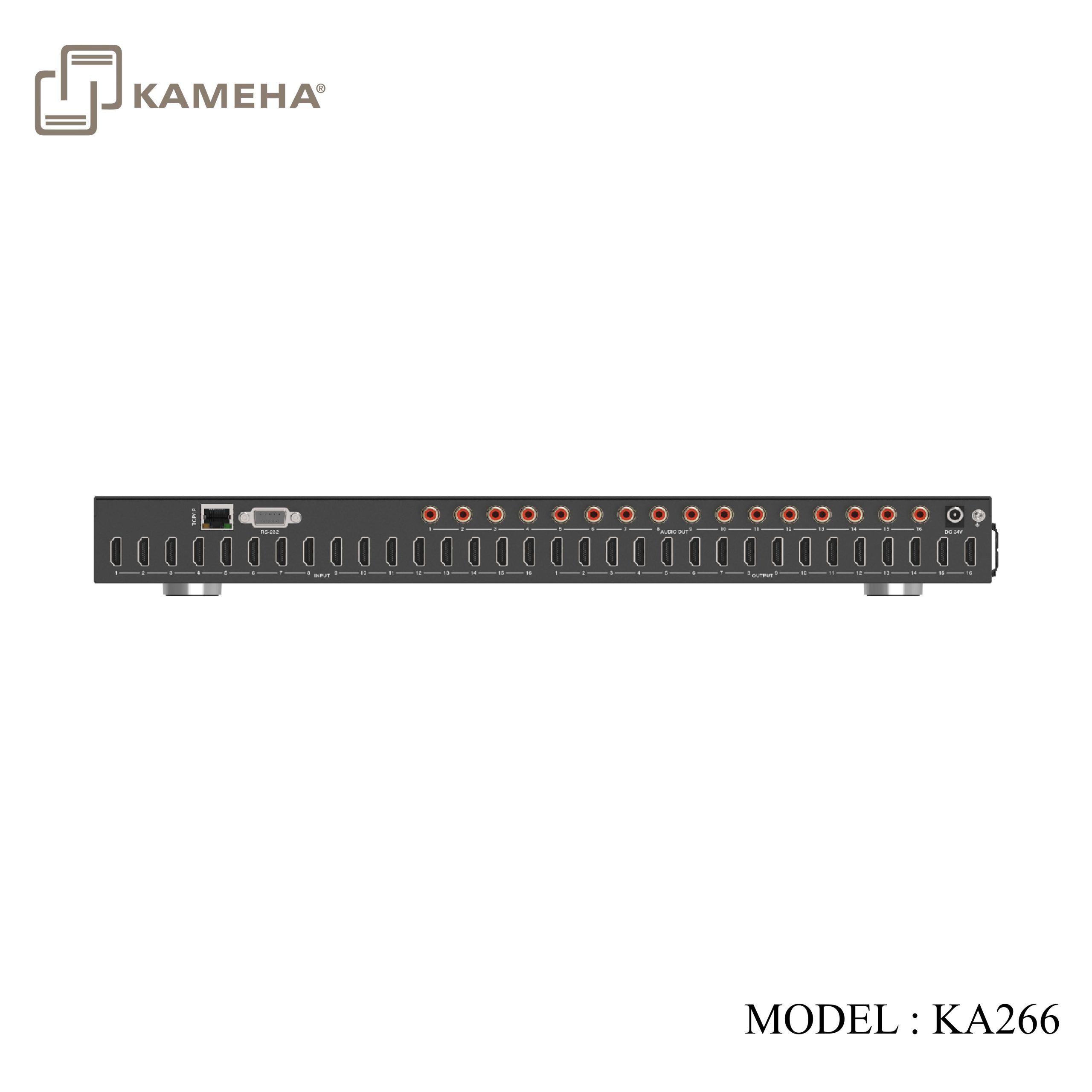
| Input Ports | 16×HDMI Type A [19-pin female] | ||
| Output Ports | 16×HDMI Type A [19-pin female]
16×Coax Audio (RCA) |
||
| Control Ports | 1×TCP/IP [RJ45]
1×RS-232 [D-Sub 9] |
||
| Mechanical | |||
| Housing | Metal Enclosure | ||
| Color | Black | ||
| Dimensions | 440mm (W)×200mm (D)×44mm (H) | ||
| Weight | 3.1kg | ||
| Power Supply | Input: AC 100 – 240V 50/60Hz, Output: DC 24V/3.75A
(US/EU standard, CE/FCC/ULcertified) |
||
| Power Consumption | 76.8W | ||
| Operating Temperature | -10°C ~ 45°C / 14°F ~ 113°F | ||
| Storage Temperature | -20°C ~ 60°C / -4°F ~ 140°F | ||
| Relative Humidity | 20~90% RH (non-condensing) | ||
| Resolution/ Cable length | 4K60 –
Feet / Meters |
4K30 –
Feet / Meters |
1080P60 –
Feet / Meters |
| HDMI IN / OUT | 16ft / 5M | 32ft / 10M | 50ft / 15M |
| The use of “Premium High-Speed HDMI” cable is highly recommended. | |||
Operation Controls and Functions

| No. | Name | Function Description |
| 1 | OLED screen | Display matrix switching status, input / output port, EDID, Baud rate, IP Address. |
| 2 | Power LED | The LED will illuminate in green when the product is connected to power supply, and red when the product is on standby. |
| 3 | Input / Output buttons | You need to press input button (1~16) firstly, then press the “AV” button, finally press output button (1~16, including
“ALL”) to select the corresponding input and output ports. |
| 4 | AV/ALL buttons | Input and output ports for the output AV: Used to switch signal source to output port e.g. Pressing “1→AV→3” represents signal source 1 is output to display 3.All: It represents all the output ports.e.g. Pressing “1→AV→ALL” represents signal source 1 is output to all displays. |
| 5 | MENU / ENTER
/ UP /DOWN |
1. EDID check: On the initial OLED display screen, press “MENU” button to enter the Matrix switching status interface, then press “UP/DOWN” button to check the switching state of all ports.
2. EDID setting: On the initial OLED display screen, press “MENU” button to enter the EDID setting interface, press “UP/DOWN” button to select the required EDID, and press the “ENTER” button. A prompt “copy to input:” will appear. Then press “UP/DOWN” button to select the input port you need to set, and press “ENTER” button again to confirm. 3. Baud rate setting: On the initial OLED display screen, press “MENU” button to enter the Baud rate interface, and press “UP/DOWN” button to select the required Baud rate, finally press the “ENTER” button to confirm the setting. 4. IP Address check: On the initial OLED display screen, press “MENU” button to enter the IP interface, then press “UP/DOWN” button to check the current IP address. Pressing the “MENU” button again will return to the initial OLED display status. |
| 6 | IR Window | IR receiver window, it only receives the IR remote signal from this product. |

| No. | Name | Function Description |
| 1 | TCP/IP port | TCP/IP control port, connect to PC or router with an RJ45 cable. |
| 2 | RS-232 port | Connect to a PC or control system by D-Sub 9-pin cable to transmit RS-232 command. |
| 3 | AUDIO OUT
(1-16) |
Coaxial audio output port, connect to audio output device such as audio amplifier via a coaxial cable. |
| 4 | DC 24V | Connect to 24V power adapter. |
| 5 | GND | Connect the housing to the ground. |
| 6 | INPUT ports
(1-16) |
HDMI input ports, connect to HDMI source device such as DVD or set-top box with an HDMI cable. |
| 7 | OUTPUT ports
(1-16) |
HDMI output ports, connect to HDMI display device such as TV or monitor with an HDMI cable. |
IR Remote
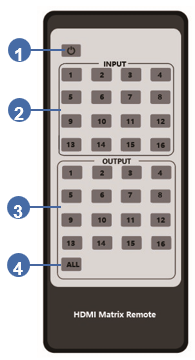
1. Power on or Standby: Power on the Matrix or set it to standby mode.
2. Input 1/2/3/4/5/6/7/8/9/10/11/12/13/14/15/16: Select input source button.
3. Output 1/2/3/4/5/6/7/8/9/10/11/12/13/14/15/16: Select output source button.
4. All: Select all output sources simultaneously.
For example, when you press input “1” button and then press the “All” button, at this time the input “1” source will be output to all display devices. Operation instruction: You need to press the input button firstly and then press output button. For example, Press Input-Y (Y means input button from 1 to 16) Then press Output-X (X means output button from 1 to 16, including “All” button)
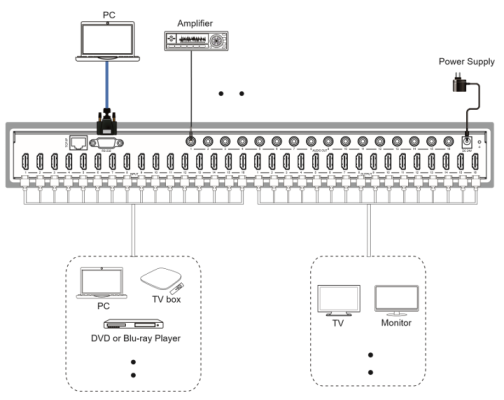
Application Example
Additional information
| Weight | 4.90 kg |
|---|---|
| Dimensions | 53.00 × 36.20 × 8.70 cm |
| WARRANTY | 1 YEAR WARRANTY |
| WHAT'S IN THE BOX | 1* 18Gbps 16×16 HDMI Matrix |
Related products