
Description
Introduction
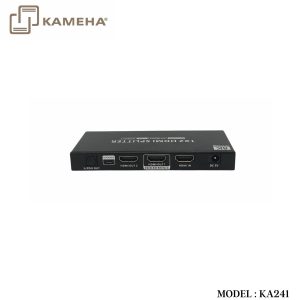
This product is an 8K HDMI splitter that splits one HDMI input signal to two HDMI output signals. Adopting the latest standard HDMI2.1, the video signal transmission is as high as 8K@60Hz/4K@120Hz. With HDR10+, Dolby Vision high dynamic range image and variable refresh rate (VRR), the screen display is more delicate and smooth, which can be widely used in TV stores, cinemas, outdoor advertising and home entertainment, etc.
Features
- Splits one HDMI input signal to two HDMI display device output signals.
- Support up to 8K@60Hz/4K@120Kz resolution, downwards compatible.
- Support HDR10+, Dolby Vision high range image.
- Support variable refresh rate (VRR).
- Support HDMI 3D.
- Support EDID pass-through and auto downscaling.
- Support S/PDIF digital audio separation output.
- Support firmware upgrading via Micro-USB port.
- Lightning protection, surge protection, ESD protection.
- Support 7×24 uninterrupted working, stable and reliable.
Specifications
| Items | Description | |
| Video signal | HDMI Input | 1x HDMI |
| HDMI Output | 2x HDMI | |
|
Compatibility |
HDMI 2.1, HDMI2.0, HDMI1.4 | |
| HDCP 2.3, HDCP2.2, HDCP1.4 | ||
|
Resolutions |
7680×4320@24/25/30/50/60Hz
3840×2160@24/25/30/50/60/120Hz 1080p@24/25/30/50/60/120Hz 720p@50/60/100/120Hz |
|
| EDID pass-through, auto downscaling | ||
| HDR10/HDR10+/Dolby Vision | ||
| HDMI 3D | ||
| HDMI CEC | ||
| VRR, Free Sync, G-Sync | ||
| Audio signal | S/PDIF Output | LPCM5.1, DTS 5.1, Dolby 5.1 |
| HDMI Output | Dolby Atmos, Dolby Digital 7.1CH, Dolby True HD, DTS:X, DTS-HD, LPCM 7.1CH, etc. | |
| Power | Power Supply | DC5V/1A |
| Power Consumption | <4W | |
| Operating Environment | Working temperature | -20℃~60℃ |
| Storage temperature | -30℃~70℃ | |
| Humidity | 0~90%RH(No condensation) | |
| Physical Properties | Housing | Iron |
| Weight | 200g | |
| Color | Black | |
| Dimensions | 135.0(L)*54.0(W)*16.5(H)mm | |
| Protection | ESD protection 1a Contact discharge level 2 (±4KV) 1b Air discharge level 3 (±8KV) Implementation of the standard: IEC61000-4-2 |
|
| Lightning protection, Surge protection | ||
Panel Description

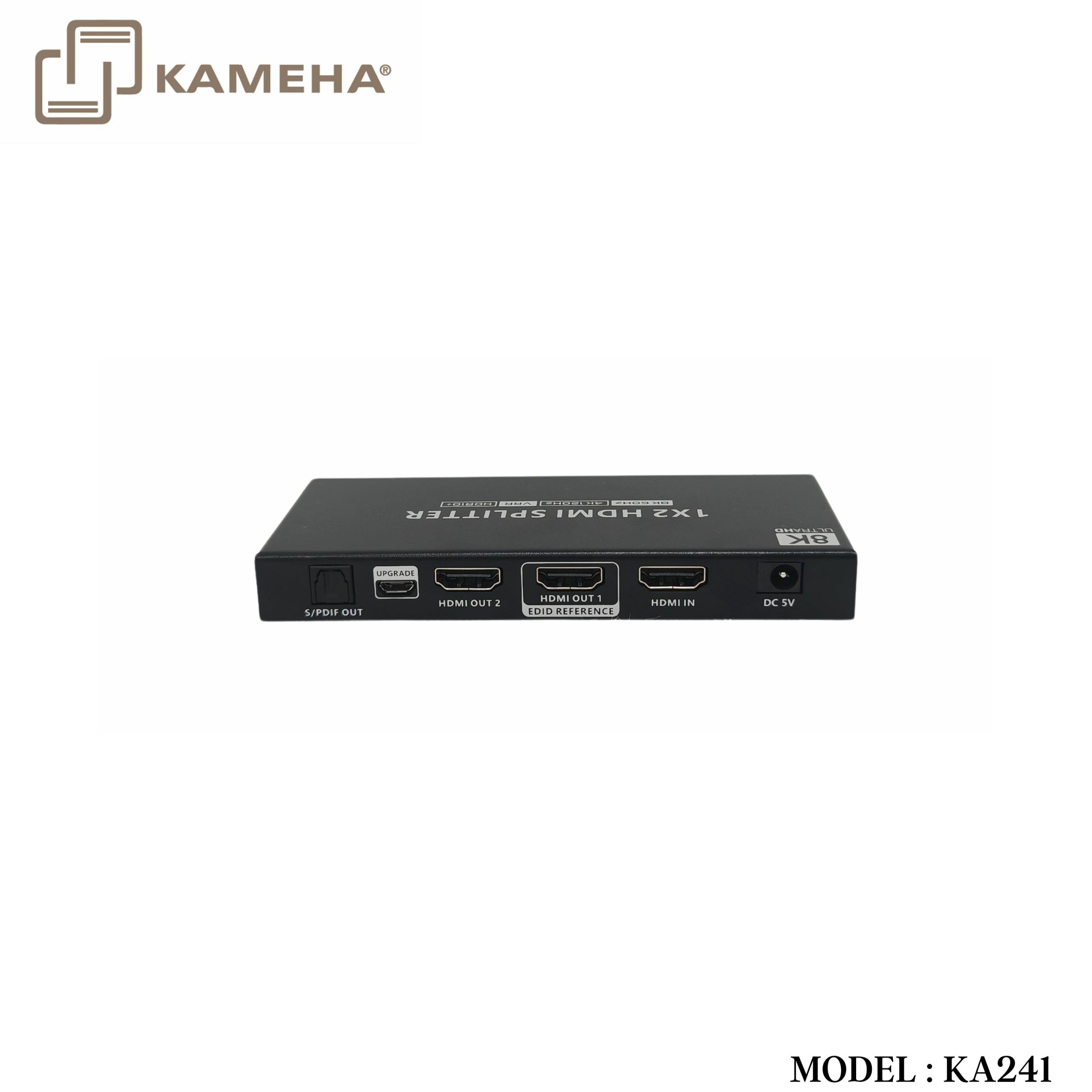
| 1. | S/PDIF Out | Connect to the audio device with digital optical audio cable |
| 2. | Firmware Upgrading | Connect the computer with Micro USB cable for firmware upgrading |
| 3. | HDMI Out 1/2 | Connect with HDMI display devices
Note: To ensure that all monitors can show at their maximum resolution, please connect the monitor with highest resolution to HDMI Output 1, which is configured as the port that can output the maximum resolution (via EDID management). |
| 4. | HDMI In | Connect HDMI signal source |
| 5. | DC5V Power Input | Connect with DC 5V/1A power adapter |
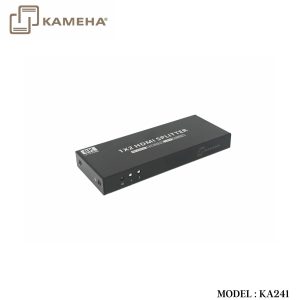
| 6. | Power Light | Steady on: The power is on |
| 7. | HDMI Signal Light 1/2 | Corresponding to 2 HDMI outputs, the indicator light is steady on when the signal transmission is normal |
Installation Procedures
- Connection Diagrams

- Connection Instructions
- Connect the splitter HDMI input interface to the device with HDMI signal source output interface via an HDMI cable.
- Connect the splitter HDMI output interface to the display device with HDMI input interface via an HDMI cable.
- If you need to output the audio of the signal source separately, please connect the speaker or power amplifier with S/PDIF audio cable.
- If firmware upgrading is required, please connect the computer with a Micro USB cable.
- Connect the power supply, the power indicator is on, and the product starts to work.
Additional information
| Weight | 0.35 kg |
|---|---|
| Dimensions | 15.50 × 8.00 × 11.50 cm |
| WARRANTY | 1 YEAR WARRANTY |
| WHAT'S IN THE BOX | 1* 2 PORT HDMI SPLITTER V2.1 |
Related products