Description
Introduction
The high-performance 4×1 quad multi-viewer supports four routes HDMI high-definition input contents to be displayed on one HDMI screen. It supports audio output selected from different input sources independently. 8 multi-view display modes are also supported. Output resolutions can be adjusted up to 4K30Hz. The product can be controlled via front panel buttons, IR remote and RS-232 control.
Features
- HDCP 1.4 compliant
- Support 10.2Gbps video bandwidth
- Input and output resolution is up to 4K@30Hz, as specified in HDMI 1.4b
- Support auto switching and manual switching
- Seamless switching between inputs and combined multiple images on single UHD monitor in multi-view display mode ☆ Seamless switching in single-view display mode
- Support 8 display modes: SINGLE, PIP, PBP (1), PBP (2), Triple (1), Triple (2), Quad (1), Quad (2)
- Support LPCM, DD, DD+, DTS audio channel
- Support audio de-embedding via the analog audio port
- Support independent audio selection
- Support OSD display in multi-view display mode
- Control via front panel button, IR remote and RS-232 commands
- Advanced EDID management
- Compact design for easy and flexible installation
Specifications
| Technical | |
| HDMI Compliance | HDMI 1.4b |
| HDCP Compliance | HDCP 1.4 |
| Video Bandwidth | Up to 10.2Gbps |
| Video Resolution | Input: Up to 4K@30Hz
Output: 720P@60Hz,1080P@60Hz,1920x1200P@60Hz, 4K@30Hz |
| Color Depth | 8-bit,10-bit,12-bit |
| Color Space | RGB_4:4:4, YCbCr_4:4:4, YCbCr_4:2:2, YCbCr_4:2:0 |
| Audio Formats | HDMI IN/OUT:
LPCM 2.0, LPCM 5.1, Dolby 2.0, Dolby 5.1, Dolby Digital Plus, DTS 2.0, DTS 5.1 L/R OUT [3.5mm L/R] :PCM 2.0; |
| IR Level | 5Vp-p |
| IR Frequency | Fixed Frequency 38KHz |
| IEC 61000-4-2: | |
| ESD Protection | ±8kV (Air-gap discharge) & ±4kV (Contact discharge) |
| Connection | ||
| Input | 4× IN [HDMI Type A, 19-pin female] | |
| Output | 1× OUT [HDMI Type A, 19-pin female]
1× L/R OUT [3.5mm stereo jack] |
|
| Control | 1× RS-232 [3pin-3.81mm Phoenix Connector]
1× IR EXT [3.5mm stereo jack] |
|
| Mechanical | ||
| Housing | Metal | |
| Color | Black | |
| Dimensions | 176mm [W] × 68mm [D] × 18mm [H] | |
| Weight | 300g | |
| Power Supply | Input: AC 100~240V 50/60Hz, Output: DC 5V/1A
(US/EU standards, CE/FCC/UL certified) |
|
| Power Consumption | 2.75W (Max) | |
| Operation
Temperature |
0°C ~ 40°C / 32°F ~ 104°F | |
| Storage Temperature | -20°C ~ 60°C / -4°F ~ 140°F | |
| Relative Humidity | 20~90% RH (non-condensing) | |
| Recommended HDMI | Cable | |
| Video Resolution | 4K30 | 1080P 4:4:4 |
| HDMI Cable Length
(HDMI IN / OUT) |
5m/16ft | 10m/33ft |
| The use of “Premium High-Speed HDMI” cable is highly recommended. | ||
Operation Controls and Functions
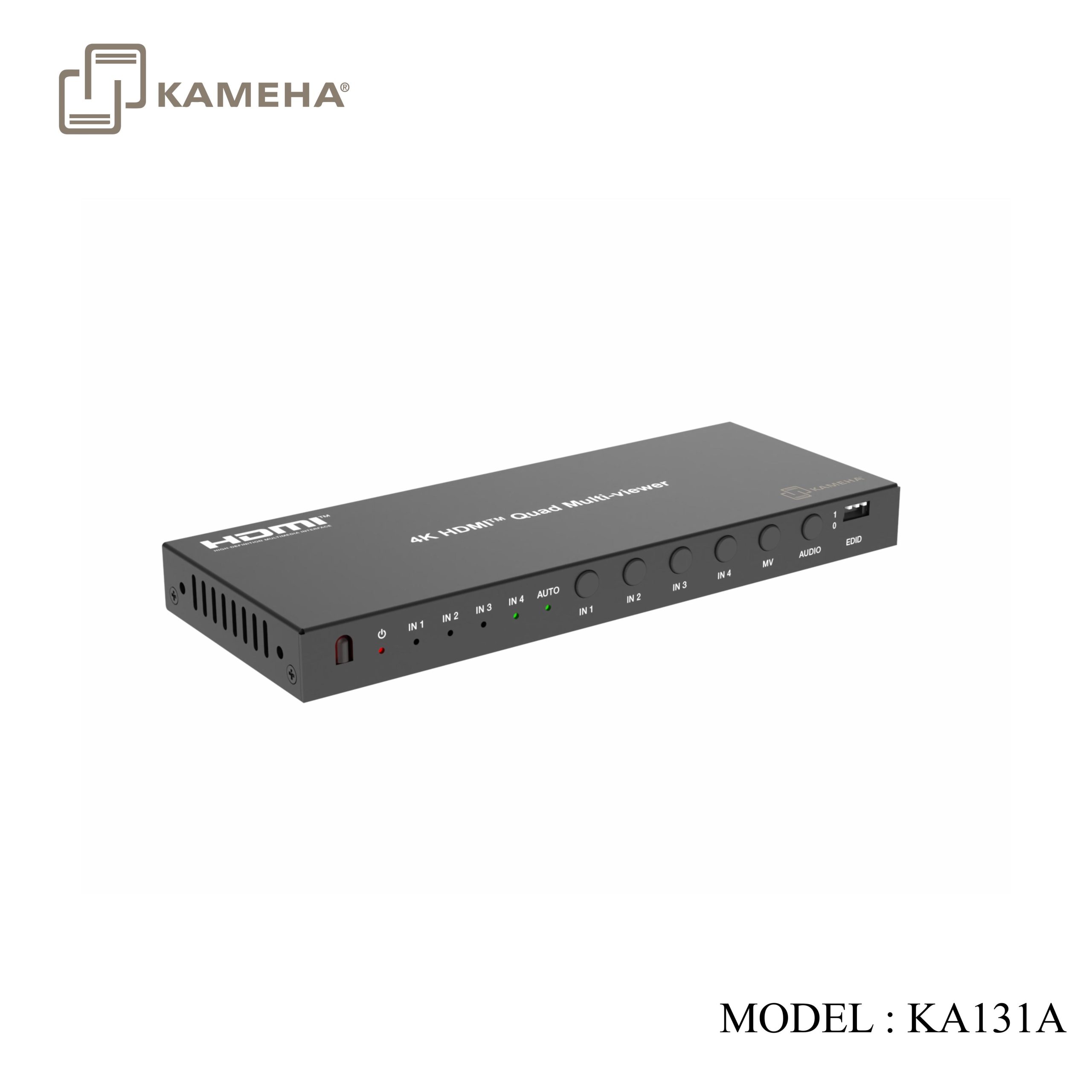
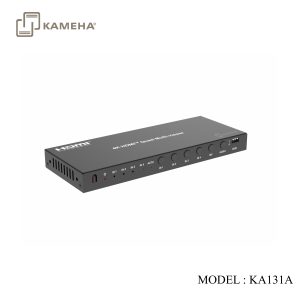
Front Panel

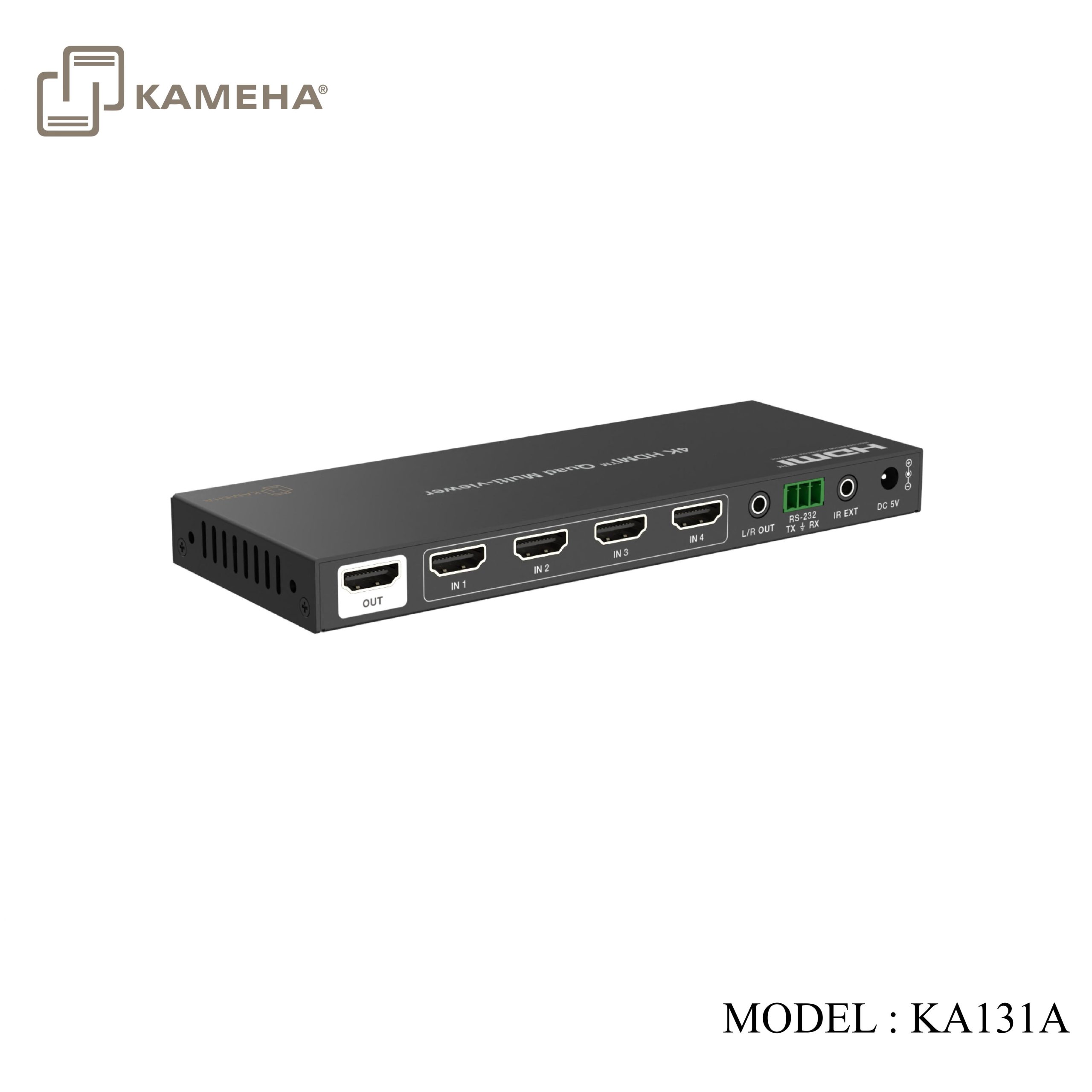
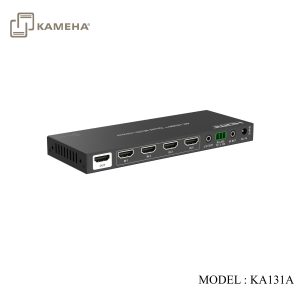
Rear Panel

| No. | Name | Function Description |
| 1 | IR window | IR signal receiving window. |
| 2 | Power LED | When the device is powered on, the power LED is green; When the device is stand by, the power LED is red. |
| 3 | IN 1/2/3/4 LED | Single-view mode: When the IN 1/2/3/4 port is selected as an input channel, the corresponding green LED will be on.
Multi-view mode: When the IN 1/2/3/4 port is selected as an input audio source, the corresponding green LED will be on. |
| 4 | AUTO LED | When the auto switching mode is enabled, the green LED will be on. |
| 5 | IN1/2/3/4 switch button | Single-view mode: Press the button IN 1/2/3/4 to switch to the corresponding input channel.
Multi-view mode: IN 1/2/3/4 corresponds to the window 1/2/3/4. For example, pressing IN 1 can switch the four input sources circularly to output on window 1. IN 2/3/4 is the same. |
| 6 | MV button | Press this button to circularly switch the 8 display modes: SINGLE, PIP, PBP (1), PBP (2), Triple (1), Triple (2), Quad (1), Quad (2). |
| 7 | AUDIO button | In multi-view mode, press this button to switch the audio of the four input sources circularly. |
| 8 | EDID DIP switch | Used for EDID setting.
111 – Copy OUT port sink EDID 110 – 4K@30Hz, Audio 2.0ch PCM 101 – 4K@30Hz, Audio 5.1ch PCM 100 – 1080P, Audio 2.0ch PCM 011 – 1080P, Audio 5.1ch PCM 010 – 1920×1200, 2.0ch 001 – 1920×1200, 5.1ch 000 – Defined by RS-232 command |
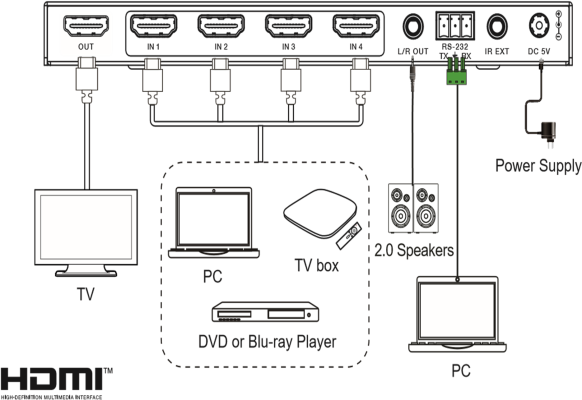
| 9 | OUT port | HDMI signal output port, connected to an display device such as TV or Monitor with HDMI cable. |
| 10 | IN 1/2/3/4 port | HDMI signal input ports, connected to source devices such as DVD or PS5 with HDMI cable. |
| 11 | L/R OUT | PCM 2.0 analog audio output port. |
| 12 | RS-232 | Connects to a PC or control system for serial update and command control. |
| 13 | IR EXT | IR signal receiving port, connected with IR Receiver cable. If the IR signal receiving window of the unit is blocked or the unit is installed in a closed area out of infrared line of sight, the IR receiver cable can be inserted to the “IR EXT” port to receive the IR remote signal. |
| 14 | DC 5V | DC 5V/1A power input port. |
IR Remote
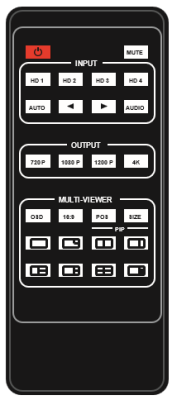
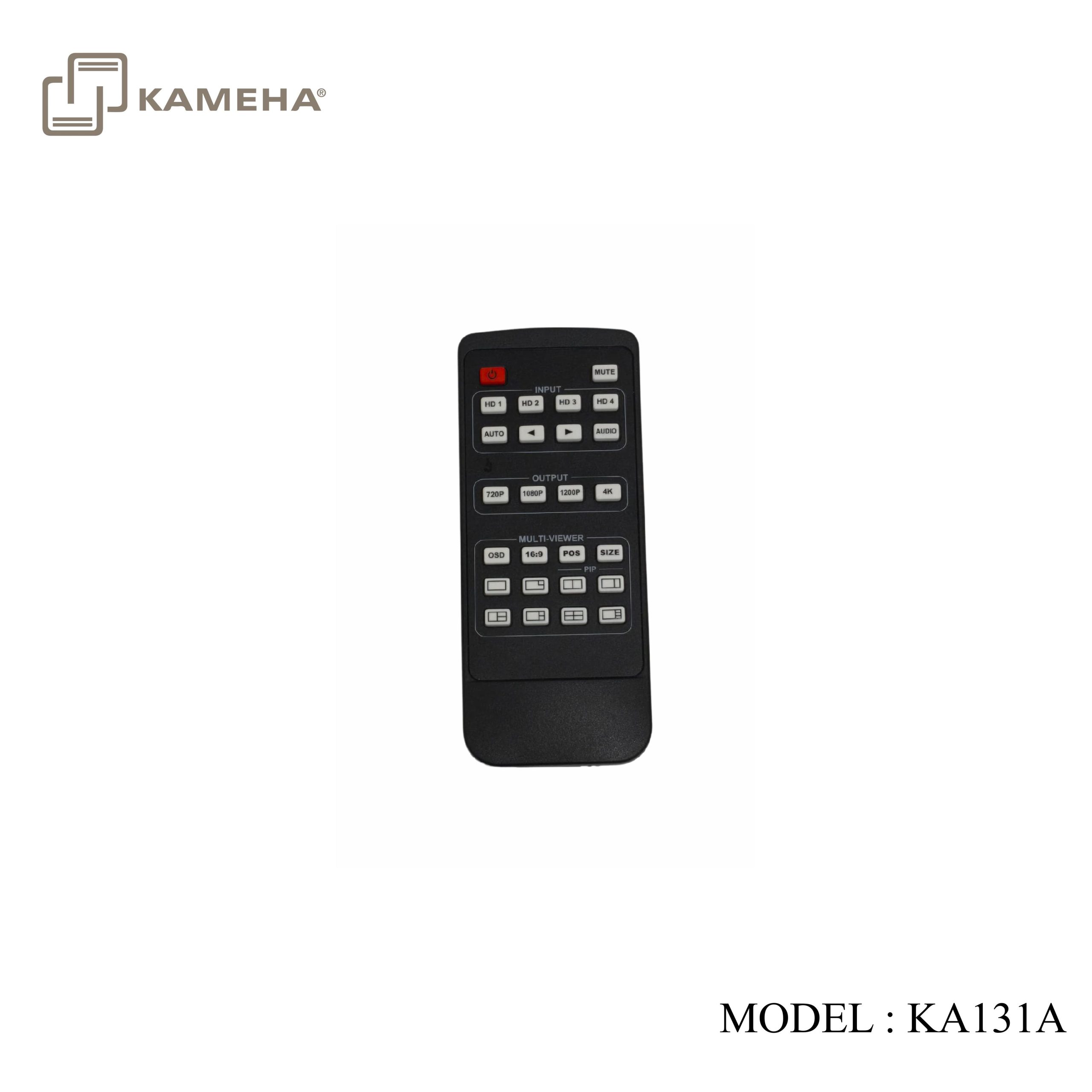
 : Power on the device or set it to standby mode.
MUTE: Press this button to enable or disable the audio output.
INPUT:
HD 1/2/3/4:
Single-view Mode: Press HD 1/2/3/4 to switch to the corresponding HDMI input channel.
Multi-view Mode: HD 1/2/3/4 corresponds to the window 1/2/3/4. For example, pressing HD 1 can switch the four input sources circularly to output on window 1. HD 2/3/4 is the same.
AUTO: Press this button to enable or disable auto switching for input signal sources.
 : In single-view mode, press to select the input source circularly.
AUDIO: In multi-view mode, press to switch the audio of the four input sources circularly.
OUTPUT: 720P/1080P/1200P/4K: Press to select the corresponding resolution to output.
MULTI-VIEWER:
OSD: Press to switch three OSD display states: no OSD, display current input channels, display current input channels and borders.
16:9: Press to switch the aspect ratio between full-screen and 16:9.
POS: Press to switch the position of PIP view: top left, bottom left, top right, bottom right.
SIZE: Press to switch the size of PIP view: large, middle, small.
Display Mode: Press to select the multi-view modes as follow:

Application Example
Click here for product PDF file
Click here for product manual
Additional information
| Weight | 0.70 kg |
|---|---|
| Dimensions | 24.00 × 13.50 × 7.20 cm |
| WARRANTY | 1 YEAR WARRANTY |
| What's in the box? | 1* 4X1 HDMI 4K30HZ MULTIVIEWER SEAMLESS SWITCH |
Related products