





Description
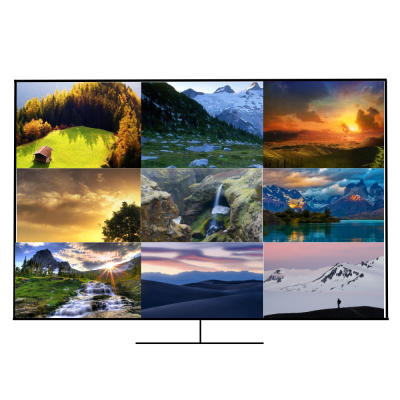
The 9×1 seamless switcher supports 9 HDMI inputs and one HDMI output. It allows user can view up to 9 HD video contents on one display at the same time. Output resolution can be chosen for supporting legacy display. This switcher is a suitable solution for presentation purpose at classroom and conference room.
Features
- HDMI 1.4b, HDCP 1.4 compliant.
- Input video resolution up to 1080p@60Hz, Output up to 4K2K@30Hz
- 9x HDMI inputs, 1x HDMI and 1x de-embedded analog audio output
- Fast seamless switching with scaling up to 3840x2160p (4K)
- Supports 1/2/4/9 windows multi-view modes
- Display 4x full HD signals within one 4K display with pixel-to-pixel quality
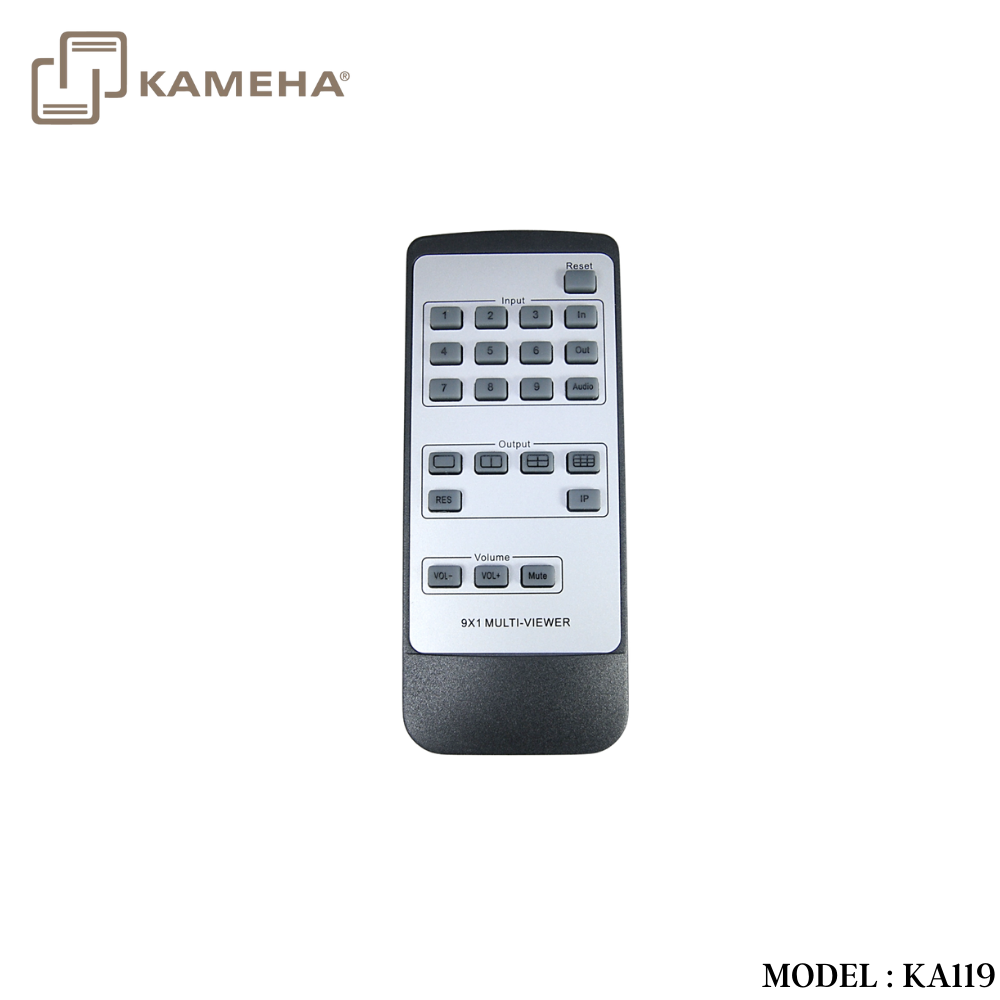
- Control is via on-panel button, IR, RS-232, LAN or Web GUI
- 1U rack mounted design
Specifications
| Technical | |
| HDMI Compliance | HDMI 1.4b |
| HDCP Compliance | HDCP 1.4 |
| Video Bandwidth | 3Gbps |
| Video Resolutions | 4K2K@30Hz YUV4:4:4、RGB4:4:4 |
| Color Depth | 8-bit |
| Color Space | RGB, YUV4:4:4, YUV 4:2:2 |
| HDMI Audio
Formats |
LPCM 2.0 |
| ESD Protection | Human-body Model:
±8kV (Air-gap discharge) , ±4kV (Contact discharge) |
| Connections | |
| Inputs | 9x HDMI Type A [19-pin female]
1x RJ45 [8-pin female] 1x RS-232 [Phoenix jack] 1x USB [USB-A] 1x IR EXT [3.5mm Stereo Mini-jack] |
| Outputs | 1x HDMI Type A [19-pin female]
1x Audio Out [3.5mm Stereo Mini-jack] |
| Mechanical | |
| Housing | Metal Enclosure |
| Color | Black |
| Dimensions | 440mm (W)×200mm (D)×44.5mm (H) |
| Weight | 2.26kg |
| Power Supply | Input: AC100~240V 50/60Hz, Output: DC12V/1A
(US/EU standards, CE/FCC/UL certified) |
| Power
Consumption |
7.8W (max) |
| Operating
Temperature |
0°C ~ 40°C / 32°F ~ 104°F |
| Storage
Temperature |
-20°C ~ 60°C / -4°F ~ 140°F |
| Relative Humidity | 20~90% RH (non-condensing) |
Operation Controls and Functions
Front Panel

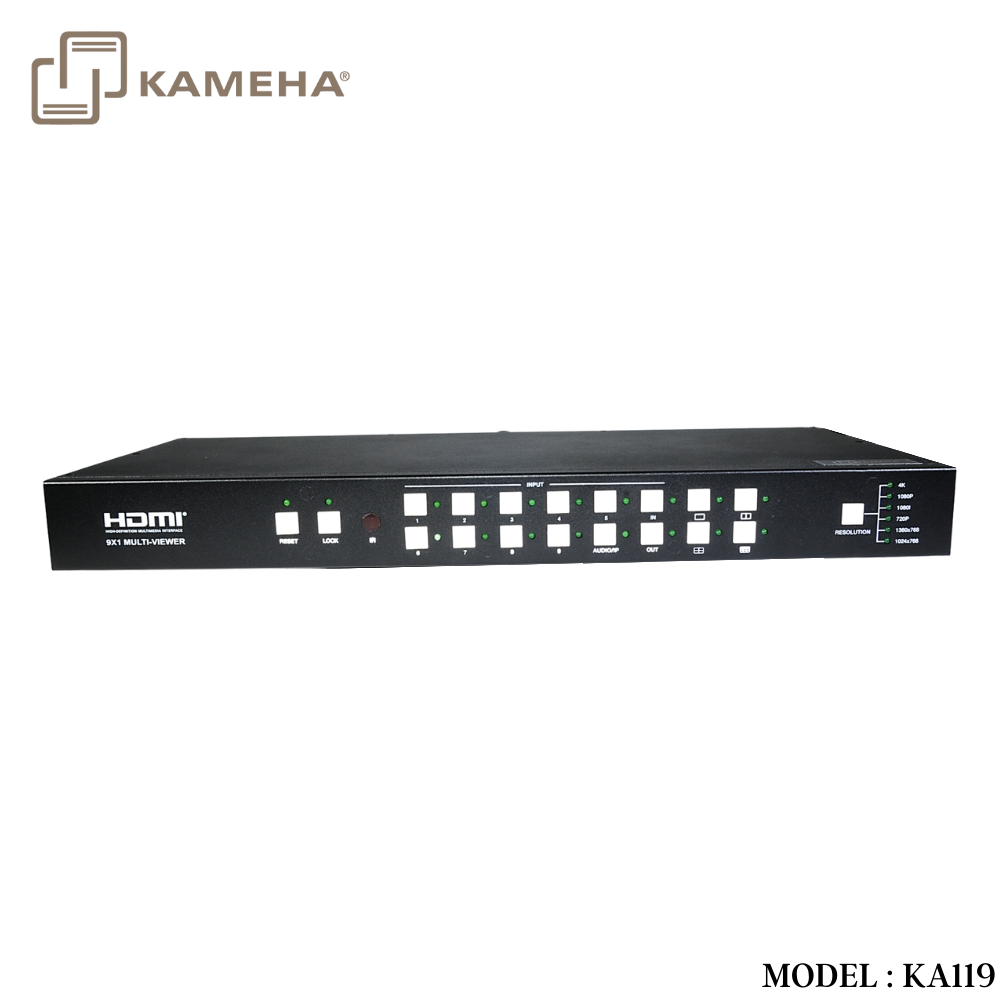
| Number | Name | Function descriptions |
| 1 | RESET button and LED | Press this button up to 10s to reset to factory set, the indicator LED will blink 5 times. |
| 2 | LOCK button and LED | Press this button to lock all buttons on the panel, the indicator LED is on. Press this button again is unlock, the indicator LED is off. |
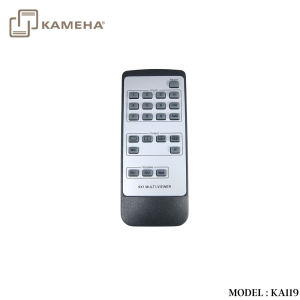
| 3 | IR | IR receiver window, it receive IR remote control signal. |
| 4 | INPUT button | INPUT 1~9 button: Press this button to select HDMI input source from 1 to 9.
AUDIO/IP button: a. Select output audio signal from HDMI input . For example, when user want to select input 1 port audio to output audio port, press AUDIO/ IP button→INPUT 1 button. In this time, the AUDIO/ IP indicator LED is blink 3 times. b. Long press this button up to 6s will output the unit IP address on screen display. IN/OUT button: When user need select multi-screen output, firstly user need select multi-screen mode button, then through operate IN→x→OUT→y to select output screen. Please see the below detail description. |
| 5 | Multi-screen mode button | Press these button to select display mode. |
| 6 | RESOLUTION
button |
Press this button to select output resolution. |
Rear Panel

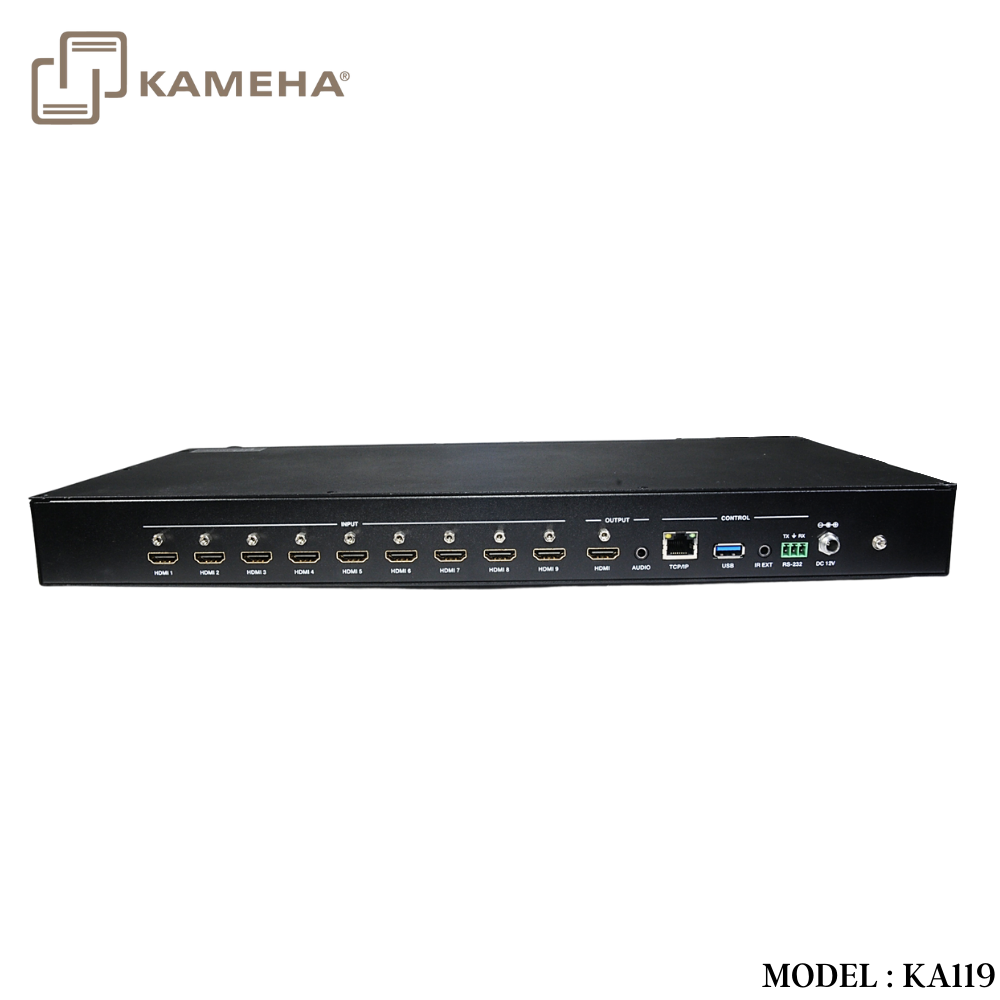
| Number | Name | Function descriptions |
| 1 | HDMI INPUT
Area |
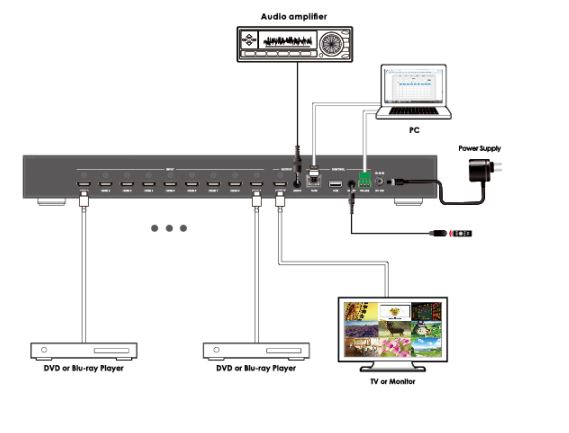
Connect to the HDMI input source device, such as DVD player or Set top box. |
| 2 | HDMI OUTPUT
Area |
HDMI OUTPUT: Connect to the HDMI output device, such as TV or Monitor.
AUDIO OUTPUT: Connect to audio amplifier. This audio volume can be adjust through Remote Control or Web GUI software. |
| 3 | CONTROL
ports |
RJ45: This port is the link for Web GUI or PC control, connect to an active Ethernet link with an RJ45 terminated cable.
USB: Upgrade Fireware. IR EXT: IR extend receiver port, connect to IR receiver cable. RS-232: Connect to a PC or control system for transmission RS-232 commands or upgrade MCU firmware. |
| 4 | DC 12V | Plug the 12V/1A adapter to AC wall outlet for power supply. |
Application Example
Mode1

Mode2

Mode3

Mode4

Mode5

Mode6
Additional information
| Weight | 3.5 kg |
|---|---|
| Dimensions | 44 × 20 × 4.5 cm |
| Warranty | 1 Year Warranty |
| What's in the box | 1* HDMI Seamless Switcher |
Related products


Converter


Matrix & Matrix Extender