Description
Introduction
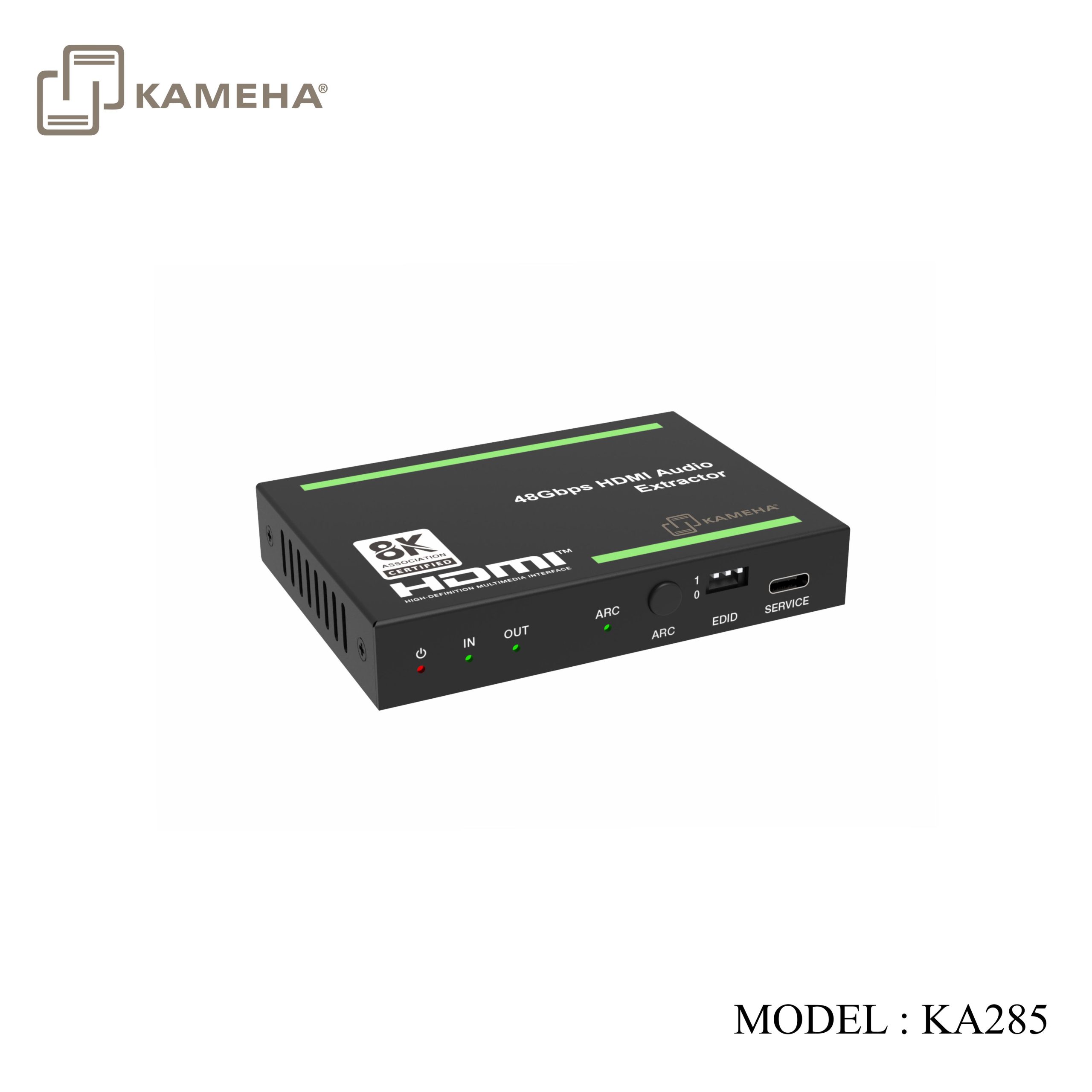
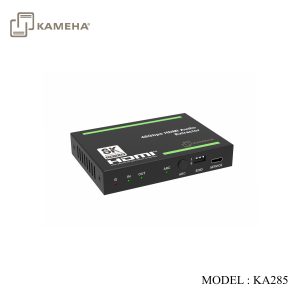
The 48Gbps HDMI audio de-embedder can extract audio signals from an HDMI source or ARC-compatible TV to output analog stereo and digital S/PDIF audio, with a buffered HDMI video output. It supports data rates up to 48Gbps to comply with HDMI 2.1 and HDCP 2.3 requirements. It is compatible with UHDTV 8K@60Hz. It includes several features for ease of integration, such as EDID management and cable equalization. It provides an easy solution for HDMI installations to send audio signals to a stereo audio or surround sound system.
Features
- HDMI 2.1 and HDCP 2.3 compliant
- Support 48Gbps FRL and 18Gbps TMDS video bandwidth
- Support video resolution up to 8K@60Hz 4:2:0 12bit, 4K@120Hz 4:4:4 12bit
- HDMI 2.1 protocols: VRR, ALLM, QMS, QFT, SBTM are supported
- HDR, HDR 10, HDR 10+, Dolby Vision, HLG pass-through
- LPCM 7.1CH, Dolby TrueHD, Atmos and DTS-HD Master, DTS:X Audio pass-through
- HDMI input audio or TV ARC audio de-embedded to S/PDIF and L/R audio output
- Support CEC control from output devices to input sources
- Advanced EDID management
- Compact design for easy and flexible installation
Specifications
| Technical | |||
| HDMI Compliance | HDMI 2.1 | ||
| HDCP Compliance | HDCP 2.3 | ||
| Video Bandwidth | 48Gbps FRL and 18Gbps TMDS | ||
| Video Resolution | Up to 8K@60Hz 4:2:0 12bit, 4K@120Hz 4:4:4 12bit | ||
| Color Depth | 8/10/12-bit | ||
| Color Space | RGB, YCbCr_4:4:4, YCbCr_4:2:2, YCbCr_4:2:0 | ||
| Audio Formats | HDMI IN/OUT:
LPCM, Dolby Digital/Plus/EX, Dolby True HD, Dolby Atmos, DTS, DTS-EX, DTS-96/24, DTS High Res, DTS-HD Master Audio, DSD AUDIO BREAKOUT: OPTICAL OUT: PCM 2.0CH, Dolby, DTS 5.1CH L/R OUT: PCM 2.0CH |
||
| HDR | HDR, HDR 10, HDR 10+, Dolby Vision, HLG | ||
| ESD Protection | Human body model — ±8kV (Air-gap discharge) &
±4kV (Contact discharge) |
||
| Connection | |||
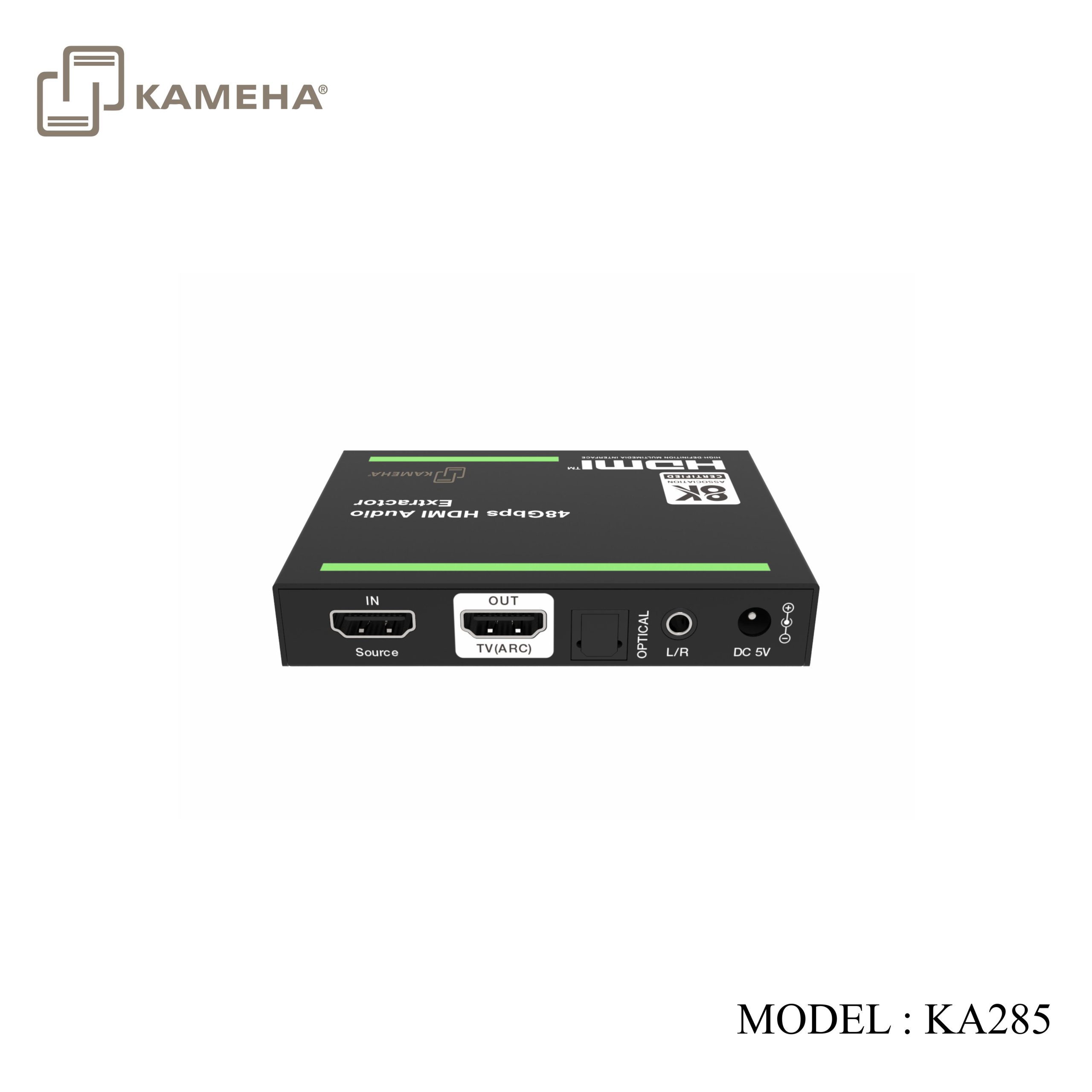
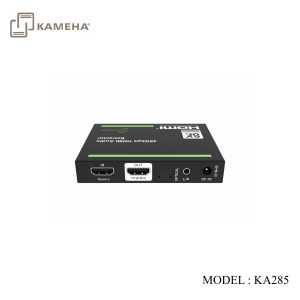
| Input | 1 × Source IN [HDMI Type A, 19-pin female] | ||
| Output | 1 × TV(ARC) OUT [HDMI Type A, 19-pin female]
1 × L/R [3.5mm Stereo mini-jack] 1 × OPTICAL [S/PDIF, female] |
||
| Control | 1 × SERVICE [USB Type C, Update port] | ||
| Mechanical | |||
| Housing | Metal Enclosure | ||
| Color | Black | ||
| Dimensions | 95mm [W] × 68mm [D] × 18mm [H] | ||
| Weight | 178g | ||
| Power Supply | Input: AC 100-240V 50/60Hz, Output: DC 5V/1A
(US/EU standards, CE/FCC/UL certified) |
||
| Power Consumption | 4W (Max) | ||
| Operation
Temperature |
0°C ~ 40°C / 32°F ~ 104°F | ||
| Storage Temperature | -20°C ~ 60°C / -4°F ~ 140°F | ||
| Relative Humidity | 20~90% RH (non-condensing) | ||
| Recommended HDMI Cable | |||
| Video Resolution | 8K60 | 4K60 | 1080P |
| HDMI Cable Type | Ultra HDMI 2.1 cable | HDMI 2.0 cable | HDMI cable |
| HDMI Cable Length
(HDMI IN / OUT) |
2m/6.6ft ~ 3m/10ft | 10m/33ft | 15m/49ft |
| The use of “Premium High Speed HDMI” cable is highly recommended. | |||
Operation Controls and Functions
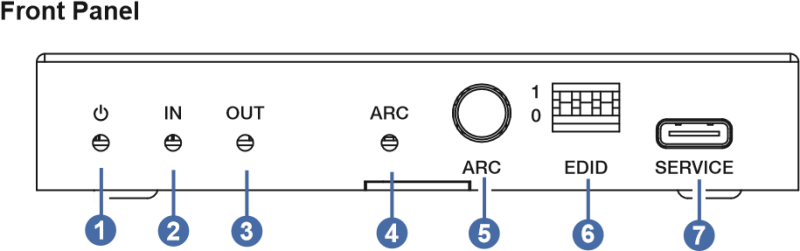
| No. | Name | Function Description |
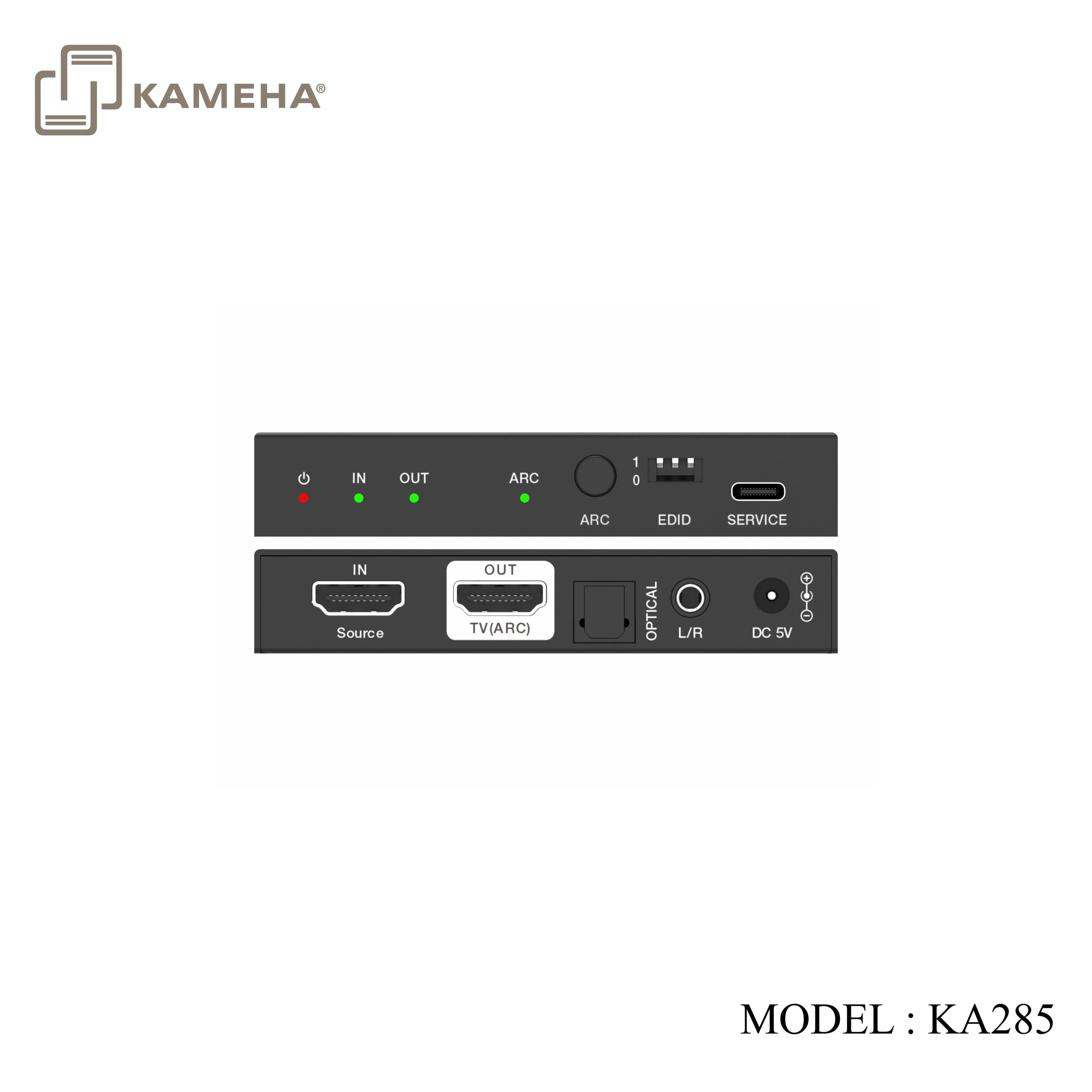
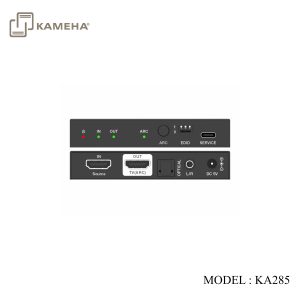
| 1 | Power LED | When the device is powered on, the red LED will be on. |
| 2 | IN LED | When the IN port connects to an active source device, the green LED will be on. |
| 3 | OUT LED | When the OUT port connects to a display device and outputs signal, the corresponding green LED will be on. |
| 4 | ARC LED | ▪ Light on: The ARC is enabled with a normal CEC communication.
The audio is returned to output via the optical port. ▪ Light flashing: The ARC is enabled with an abnormal CEC communication. The audio is failed to return to the output optical port. ▪ Light off: The ARC is disabled. |
| 5 | ARC button | Press this button to enable or disable the ARC function. |
| 6 | EDID DIP switch | Use the DIP switch to set EDID.
[DIP]=111: Copy OUT port sink video and audio EDID [DIP]=110: Copy OUT port sink video EDID, Audio 2.0CH [DIP]=101: Copy OUT port sink video EDID, Audio 5.1CH [DIP]=100: FRL12G_8K_HDR, 2.0CH [DIP]=011: FRL12G_8K_HDR, 5.1CH [DIP]=010: FRL10G_8K_HDR, 2.0CH [DIP]=001: FRL10G_8K_HDR, 5.1CH [DIP]=000: 1080P, 2.0CH |
| 7 | SERVICE | Firmware update and debug port. |
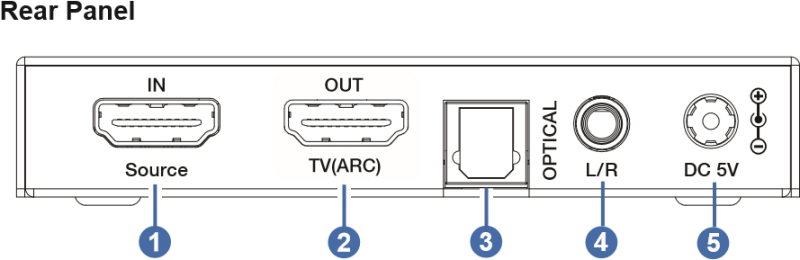
| No. | Name | Function Description |
| 1 | IN port | HDMI signal input port, connected to HDMI source device such as DVD or PS5 with an HDMI cable. |
| 2 | OUT port | HDMI signal output port, connected to HDMI display device such as TV or Monitor with an HDMI cable. It can be used as the ARC audio channel when the ARC function is enabled. |
| 3 | OPTICAL | Optical audio output port. |
| 4 | L/R | Analog audio output port. |
| 5 | DC 5V | DC 5V/1A power input port. |
Application Example
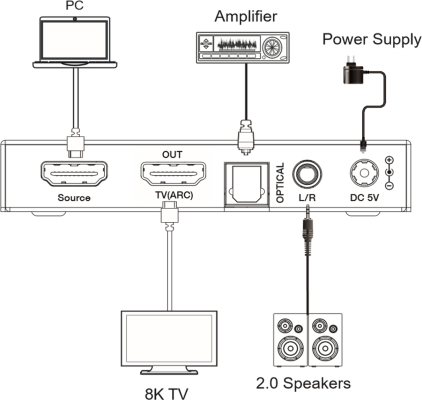
Additional information
| Weight | 0.40 kg |
|---|---|
| Dimensions | 14.70 × 10.00 × 6.50 cm |
| Warranty | 1 Year warranty |
| WHAT'S IN THE BOX | 1* HDMI ARC AUDIO DEEMBEDDER V2.1 |
Related products