



Description
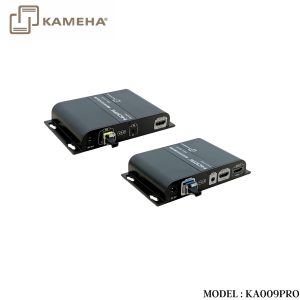
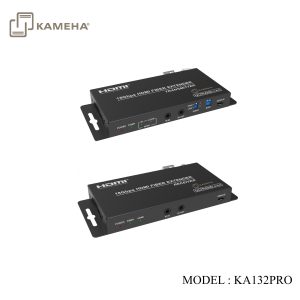
The HDMI™ extender can extend HDMI™ signal up to 33000ft/10km (over a single-mode fiber cable). It supports video resolution up to 4K2K@60Hz 4:4:4. Transmitter supports loop output, audio embedding and EDID management function. Receiver supports audio extracting function. In addition, the extender supports bidirectional IR control and RS-232 signal pass-through. It can allow you to easily control the display device on the signal source side or control the signal source device on the display side when using this extender.
Features
- HDCP 2.2 and DVI 1.0 compliant
- Support 18Gbps video bandwidth
- Video resolution up to 4K2K@50/60Hz 4:4:4, as specified in HDMI™ 2.0b
- HDMI™ audio formats: LPCM 2/5.1/7.1CH, Dolby Digital/Plus/EX, Dolby True HD, DTS, DTS-EX, DTS-96/24, DTS High Res, DTS-HD Master Audio, DSD
- Support 3D and HDR format video, does not support CEC control
- Transmission distance up to 33000ft/10km (over a single-mode fiber cable) *It is possible to use multi-mode fiber with these SFP modules but the distance can not be guaranteed.
- Support bidirectional IR control, RS-232 pass-through and EDID management for simple and convenient control
- Transmitter supports loop output (sharing local HD video and audio) and audio embedding function
- Receiver supports audio extracting output function
- Compact design for easy and flexible installation
Specifications
| Technical | |
| HDMI™ Compliance | HDMI™ 2.0b |
| HDCP Compliance | HDCP 2.2 |
| Video Bandwidth | 18Gbps |
| Video Resolution | 480i ~1080p50/60Hz, 4Kx2K@24/30Hz, 4K2K@60Hz |
| Color Space | RGB, YCbCr 4:4:4 / 4:2:2, YUV 4:2:0 |
| Color Depth | 8-bit, 10-bit, 12-bit |
| HDMI™ AudioFormats | LPCM 2/5.1/7.1CH, Dolby Digital/Plus/EX, Dolby TrueHD, DTS, DTS-EX,DTS-96/24, DTS High Res, DTS-HD Master Audio, DSD |
| TransmissionDistance | Up to 33000ft/10km over single-mode fiber cable |
| IR Frequency | 20KHz-60KHz |
| RS-232 Baud Rate | 4800-115200bps |
| ESD Protection | IEC 61000-4-2:±8kV (Air-gap discharge) & ±4kV (Contact discharge) |
| Connection | |
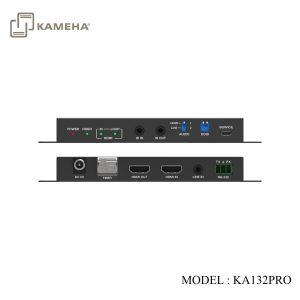
| Transmitter | Input: 1x IN [HDMI™ Type A, 19-pin female] 1x LINE IN [3.5mm Stereo Mini-jack] 1x IR IN [3.5mm Stereo Mini-jack] 1x RS-232 [3.81mm Phoenix connector] 1x SERVICE [Micro USB, Update port]Output: 1x OUT [HDMI™ Type A, 19-pin female] 1x Optical Fiber Out [LC female] 1x IR OUT [3.5mm Stereo Mini-jack] |
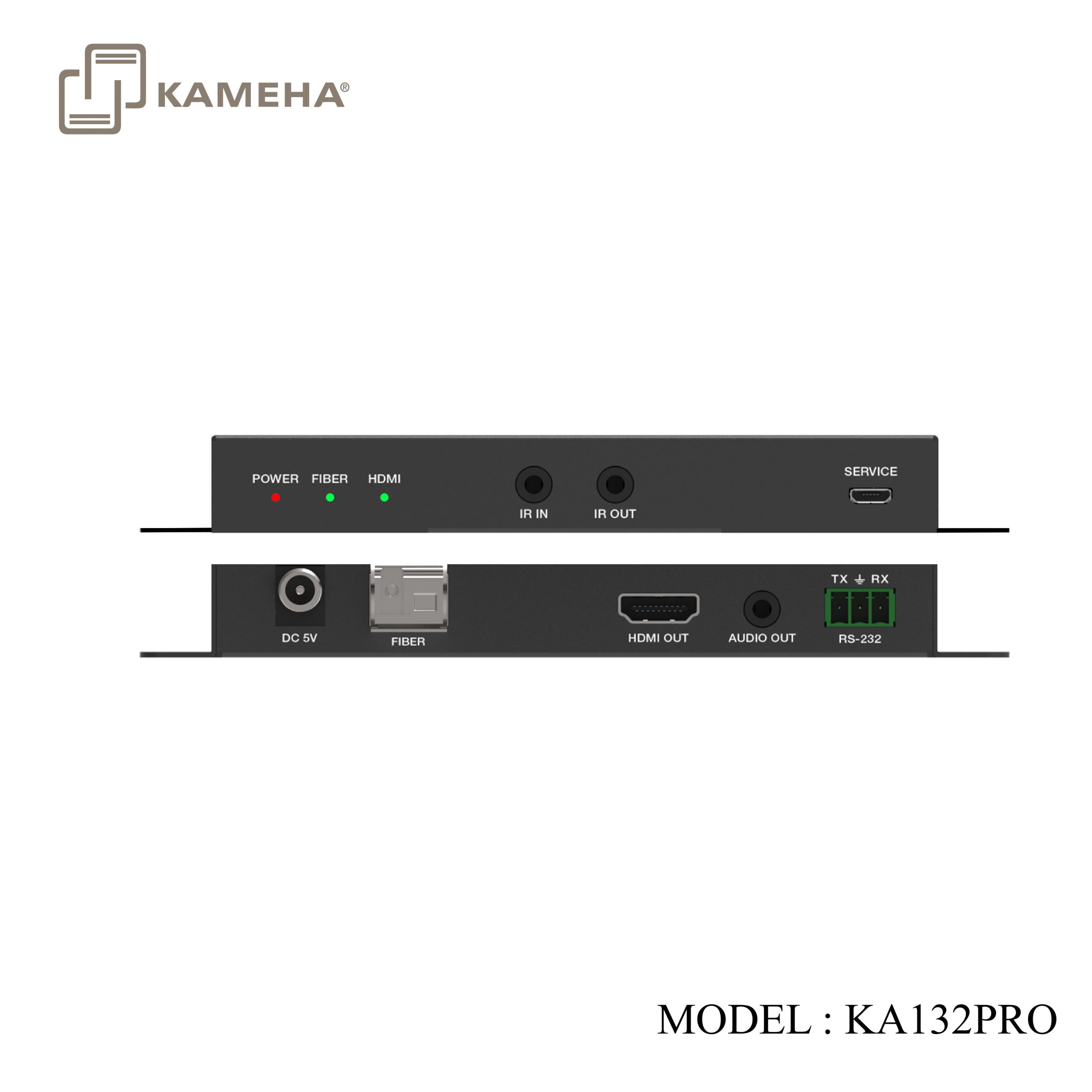
| Receiver | Input: 1x Optical Fiber In [LC female] 1x IR IN [3.5mm Stereo Mini-jack] 1x SERVICE [Micro USB, Update port]Output: 1x OUT [HDMI™ Type A, 19-pin female] 1x RS-232 [3.81mm Phoenix connector] 1x IR OUT [3.5mm Stereo Mini-jack] 1x AUDIO OUT [3.5mm Stereo Mini-jack] |
| Mechanical | |
| Housing | Metal Enclosure |
| Color | Black |
| Dimensions | Transmitter / Receiver:134mm [W] x 68mm [D] x 18mm [H] |
| Weight | Transmitter: 280g, Receiver: 278g |
| Power Supply | Input: AC 100 – 240V 50/60HzOutput: DC 5V/1A(US/EU standards, CE/FCC/UL certified) |
| Power Consumption | Transmitter: 3.85W (Max.), Receiver: 2.7W (Max.) |
| OperatingTemperature | 32°F – 104°F / 0°C – 40°C |
| Storage Temperature | -4°F – 140°F / -20°C – 60°C |
| Operating Humidity | 20% – 80% (relative humidity, non-condensing) |
| Storage Humidity | 10% – 90% (relative humidity, non-condensing) |
Operation Controls and Functions
Transmitter Panel

| No. | Name | Function Description |
| 1 | POWER LED | The power indicator is always on when the Transmitter is powered on. |
| 2 | FIBER LED | The optical fiber connection indicator is always on when the Transmitter and Receiver establish a normal optical fiber signal connection. |
| 3 | HDMI LED | IN: The HDMI signal input indicator is always on when there is signal input on the HDMI IN port. |
| LOOP: The HDMI loop output indicator is always on when the HDMI OUT port of the Transmitter outputs signals to the HDMI display device. | ||
| 4 | IR IN | Connect to IR Receiver cable. The IR signal will send to the IR OUT port of the Receiver. |
| 5 | IR OUT | Connect to IR Blaster cable. The IR signal is from the IR IN port of the Receiver. |
| 6 | AUDIO switch | Switch to select audio signal source (HDMI IN or LINE IN). When there is no video signals input, audio signals can be transmitted separately. |
| 7 | EDID DIP switch | Dial the switch to set EDID. 11: Copy RX HDMI OUT10: Copy TX HDMI LOOP OUT01: 4K60_2CH00: 1080P_2CH |
| 8 | SERVICE port | Firmware update port. |
| 9 | DC 5V | DC 5V/1A power input port. |
| 10 | FIBER | Connect the Transmitter optical fiber module, and transmit signals to the Receiver via an optical fiber cable. |
| 11 | OUT | HDMI signal loop output port, connected to HDMI display device such as TV or Projector with an HDMI cable. |
| 12 | IN | HDMI signal input port, connected to HDMI source device such as DVD or PC with an HDMI cable. |
| 13 | LINE IN | Audio signal input port, connected to audio source device such as MP3. |
| 14 | RS-232 | RS-232 signal pass-through port for transmitting RS-232 command signals between the Transmitter and Receiver. |
Receiver Panel

| No. | Name | Function Description |
| 1 | POWER LED | The power indicator is always on when the Receiver is powered on. |
| 2 | FIBER LED | The optical fiber connection indicator is always on when the Transmitter and Receiver establish a normal optical fiber signal connection. |
| 3 | HDMI LED | The HDMI signal output indicator is always on when the HDMI OUT port of the Receiver outputs signals to the HDMI display device. |
| 4 | IR IN | Connect to IR Receiver cable. The IR signal will send to the IR OUT port of the Transmitter. |
| 5 | IR OUT | Connect to IR Blaster cable. The IR signal is from the IR IN port of the Transmitter. |
| 6 | SERVICE port | Firmware update port. |
| 7 | DC 5V | DC 5V/1A power supply port |
| 8 | FIBER | Connect the Receiver optical fiber module, and receive signals from the Transmitter via an optical fiber cable. |
| 9 | OUT | HDMI signal output port, connected to HDMI display device such as HDTV or Projector with an HDMI cable. |
| 10 | AUDIO OUT | Audio signal extracting output port (extract the HDMI OUT audio signal), connected to audio output device such as amplifier or speaker. |
| 11 | RS-232 | RS-232 signal pass-through port for transmitting RS-232 command signals between the Transmitter and Receiver. |
Application Example

Additional information
| Weight | 1.00 kg |
|---|---|
| Dimensions | 30.00 × 20.00 × 6.00 cm |
| WARRANTY | 1 YEAR WARRANTY |
| WHAT'S IN THE BOX | 1* 18Gbps HDMI over Optical Fiber Extender (Transmitter) |
Related products