


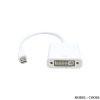
Description
Every Mac with a Mini DisplayPort allows you to connect an external display or projector using an adapter. You can use an external display as your main workspace or to extend your desktop, or you can work in mirrored mode with a projector so you can view what your audience sees. Use the Mini DisplayPort to VGA Adapter to connect your Mac to a standard analogue monitor, projector, or LCD that uses a VGA connector or cable. Review the documentation or check with the manufacturer of your monitor to make sure you’re choosing the right adapter.
Specification
- Video-Max. Pixel Clock 165 MHz-Max. Resolution 1080P Operating Temperature 0 – 50 ºCStorage Temperature -20 – 60 ºCHumidity 0 – 80% RH, Non-CondensingPhysical PropertiesHousing PlasticWeight 0.04 kg ( 0.09 lb ) Features: Connectors: Mini DisplayPort Male to VGA Female.
- Supports up to 1920 x 1200 resolution for enhanced picture quality.
- Thunderbolt technology Provides fast signal transfer.
- Portable and easy to carry
- High Quality Chipset
Additional information
| Weight | 0.05 kg |
|---|---|
| Warranty | 3 Months Warranty |
Related products


Smart Phone
RM59.00


Out of stock
Smart Phone
RM79.00


Display Port & Mini Display Port
RM549.00


Smart Phone
RM119.00


Out of stock
Smart Phone
RM89.00


RM108.90

Display Port & Mini Display Port
RM39.00

Smart Phone
RM19.00